From manuscript to reviewed text
Start with the work your manuscript needs. You can inspect the reports, plans and revisions before deciding what to do next.
A name change across the book
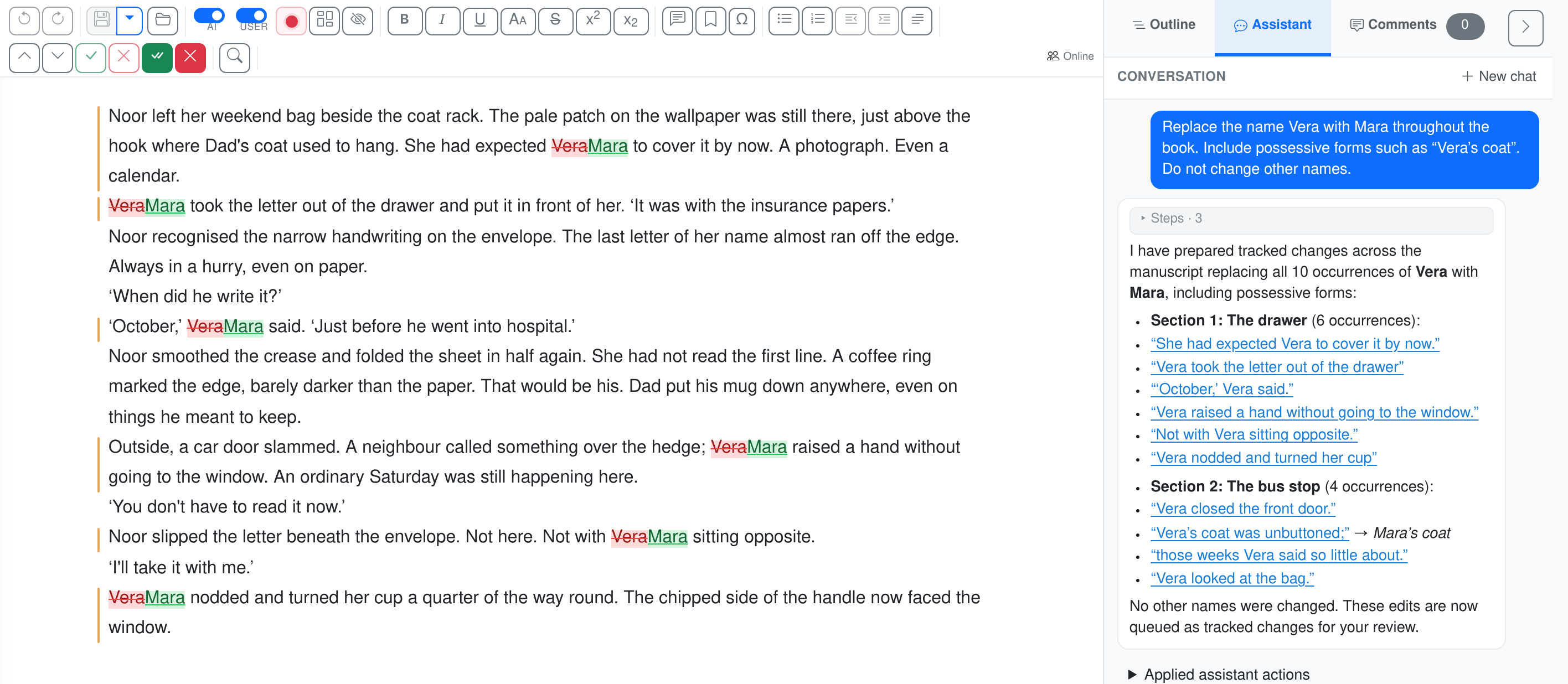
A character has been renamed, but the old name still appears in earlier chapters. Give the assistant the instruction once, then review the passages it changes.
Replace Vera with Mara throughout the book, including possessive forms. Leave other names unchanged.
New accounts currently open by invitation. Join the waiting list; you can view the examples without an account.
From manuscript to reviewed changes
1. Add the manuscript
Upload the file or forward the author’s email. Keep versions and accompanying documents in one project.
2. Set the instructions
Choose the work, add your editorial instructions and review the plan. You can also ask the assistant for a specific change.
3. Review the result
Read the report or review the proposed changes in context. Accept, reject or adjust them, then export to Word.
Choose the work you want to examine
Choose a module to see how EditBook.ai helps editors and authors stay in control.
The step-by-step workflow
No copying between Word and chat tools. Each step gives you something you can review and keep: a first-read report, editing plan, Word file with tracked changes, or translation draft.
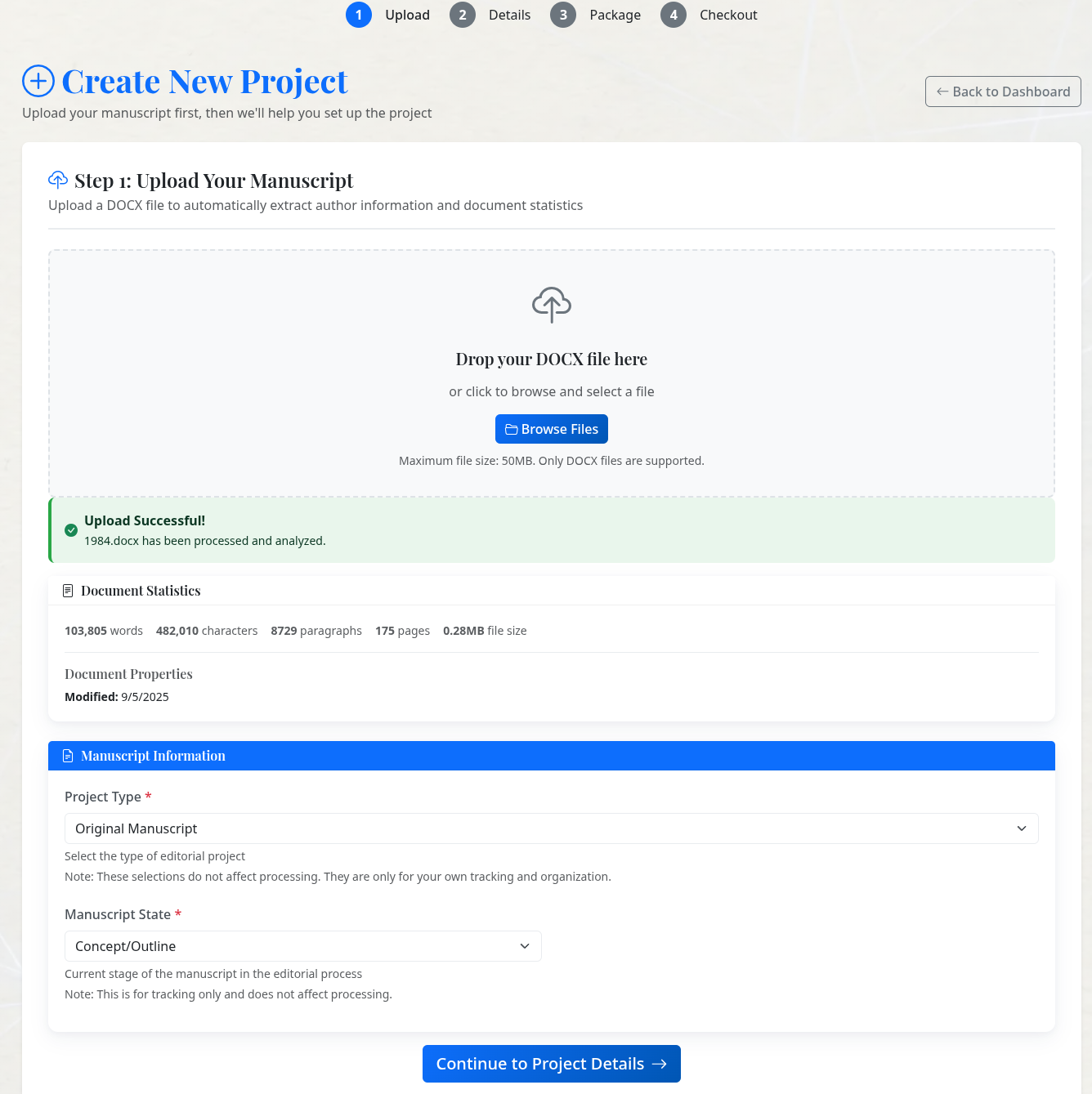
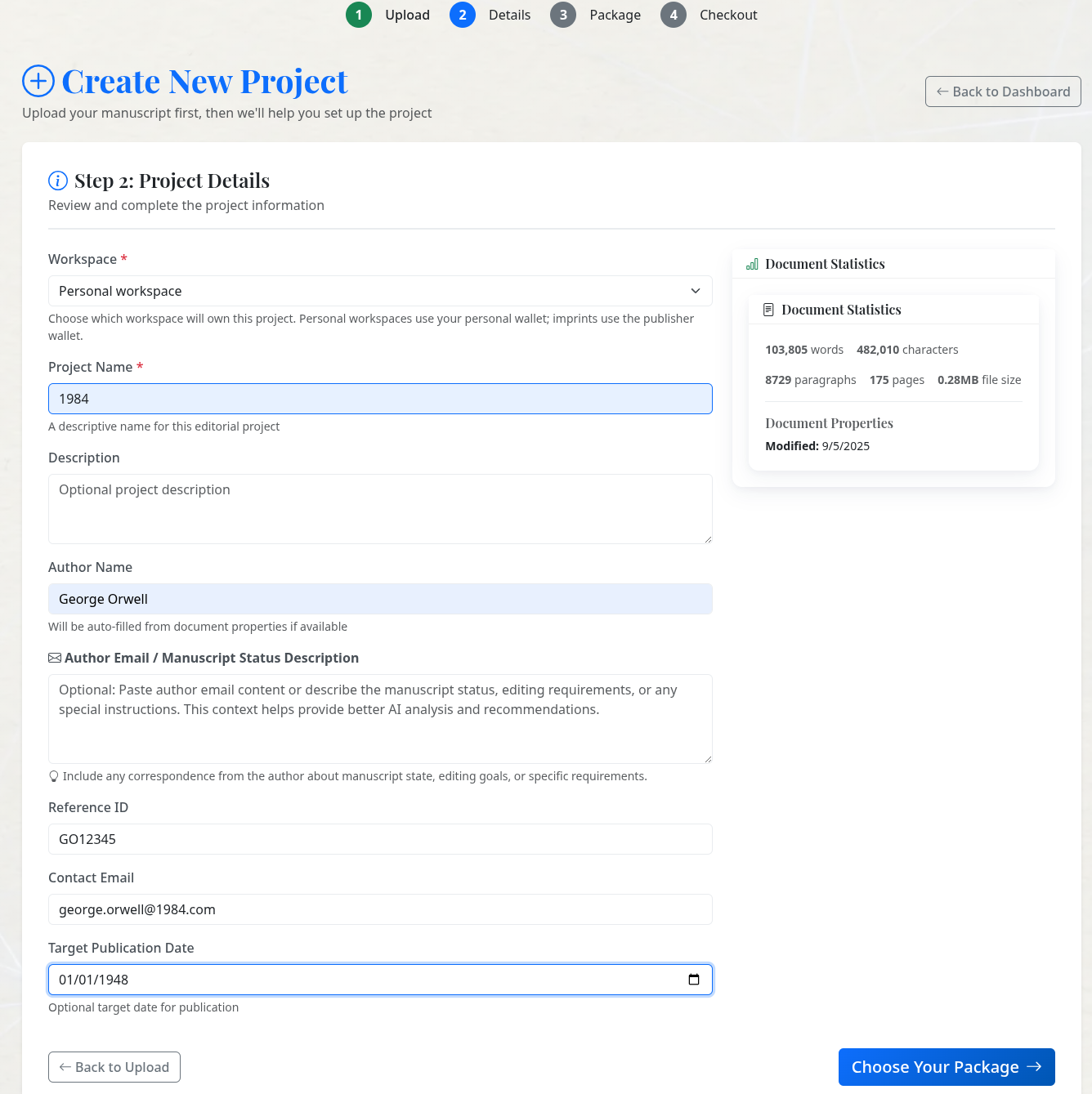
Drop your .docx into the New Project wizard — the manuscript is detected and analysed before you continue Fill in workspace, project name and author details — these flow into every later report
Create a project: upload, then add details
Drop your .docx into the New Project wizard. Chapter structure, headings, and inline formatting are detected automatically — EditBook.ai never modifies your original. Then add the project details (workspace, project name, author) that travel with every later report and export.
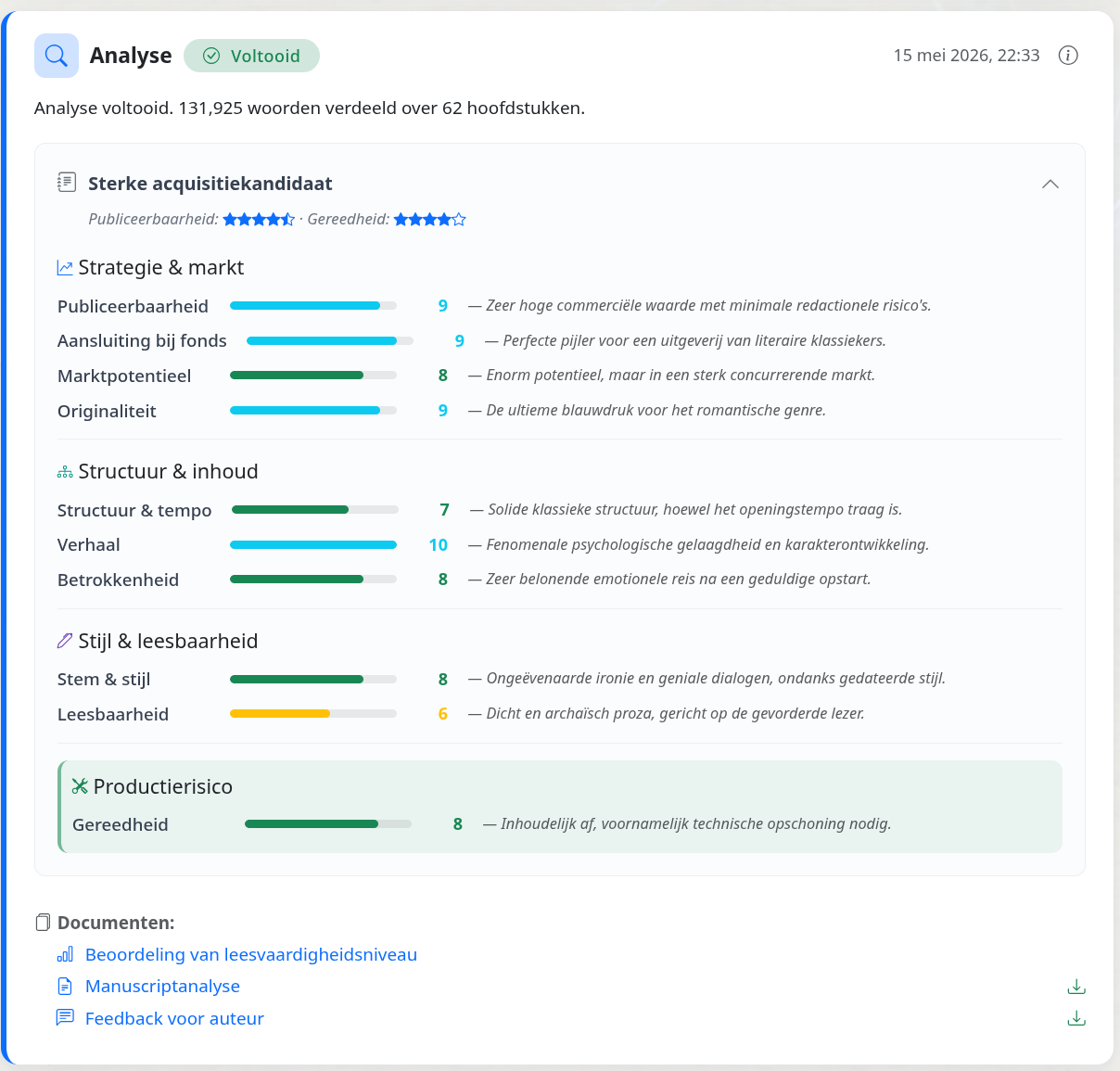
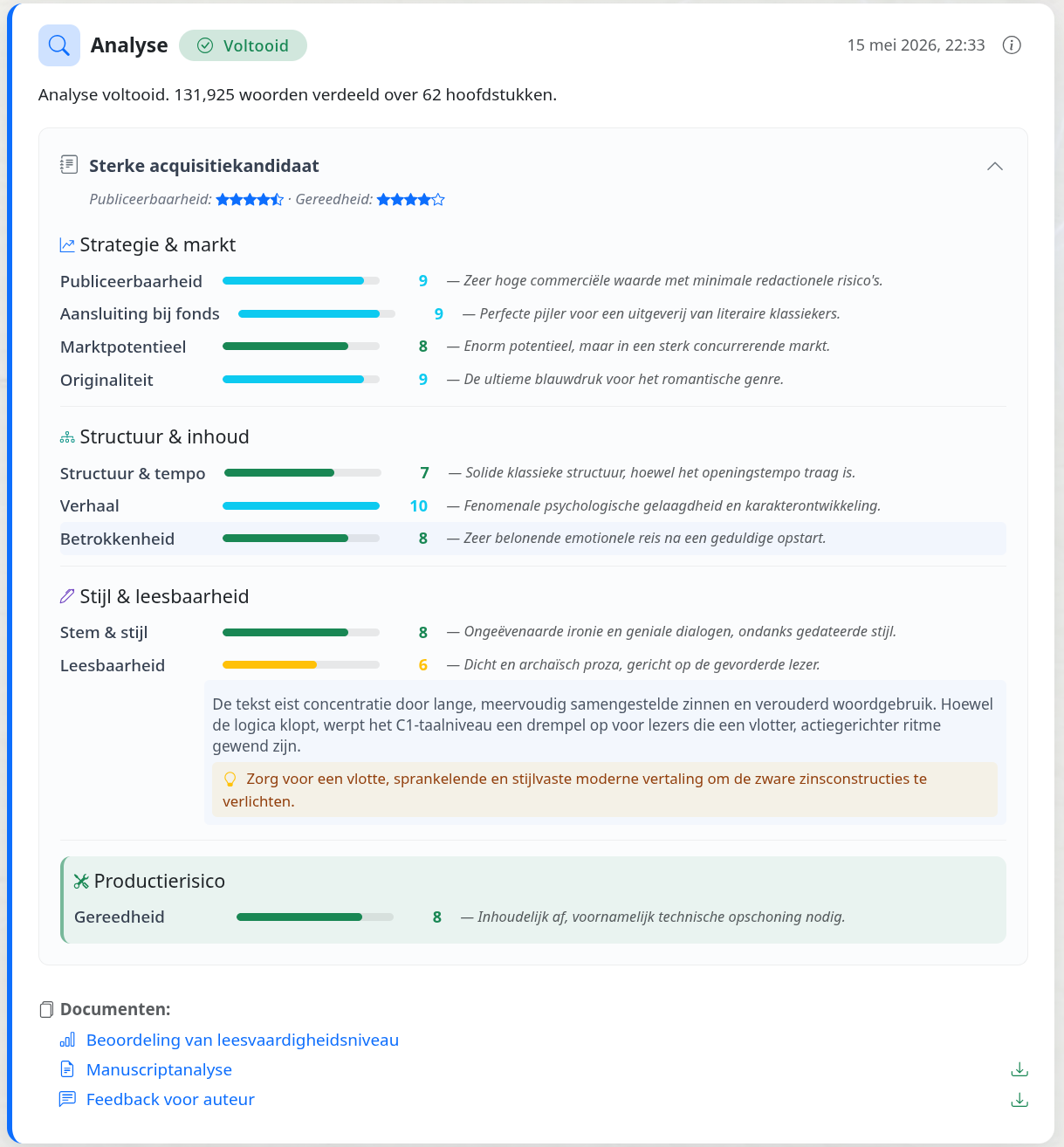
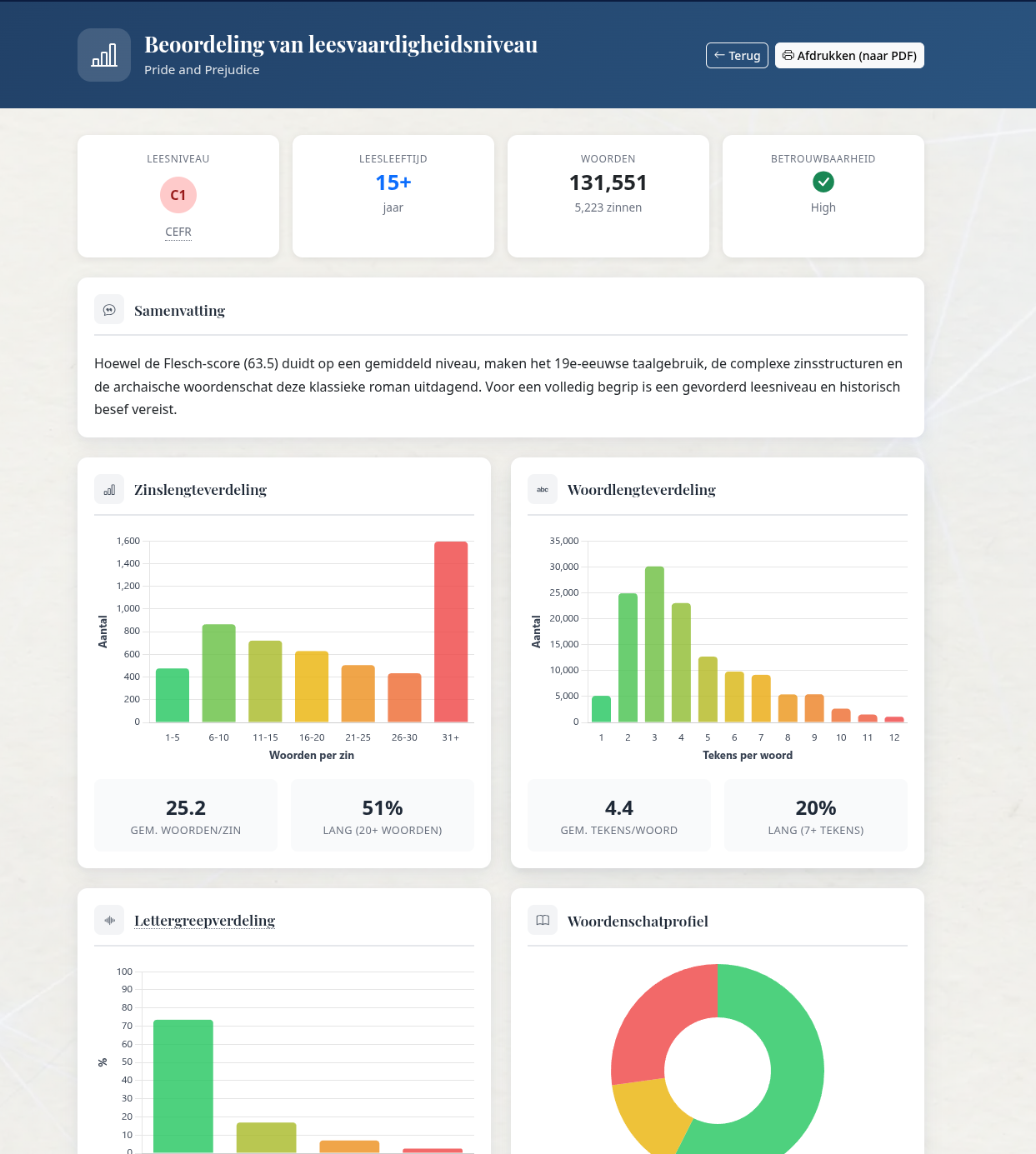
Ten-axis analysis with strengths, gaps, and a publishability score Open any axis to see the evidence — passages, chapter numbers, and a recommended next step A dedicated readability report — Flesch score, sentence and word distribution, age band
Deep analysis
Choose one, two or three independent AI perspectives on structure, characters, voice and readership. The readings come together in one report with revision priorities. Add market research for comparable books and positioning, with source links.
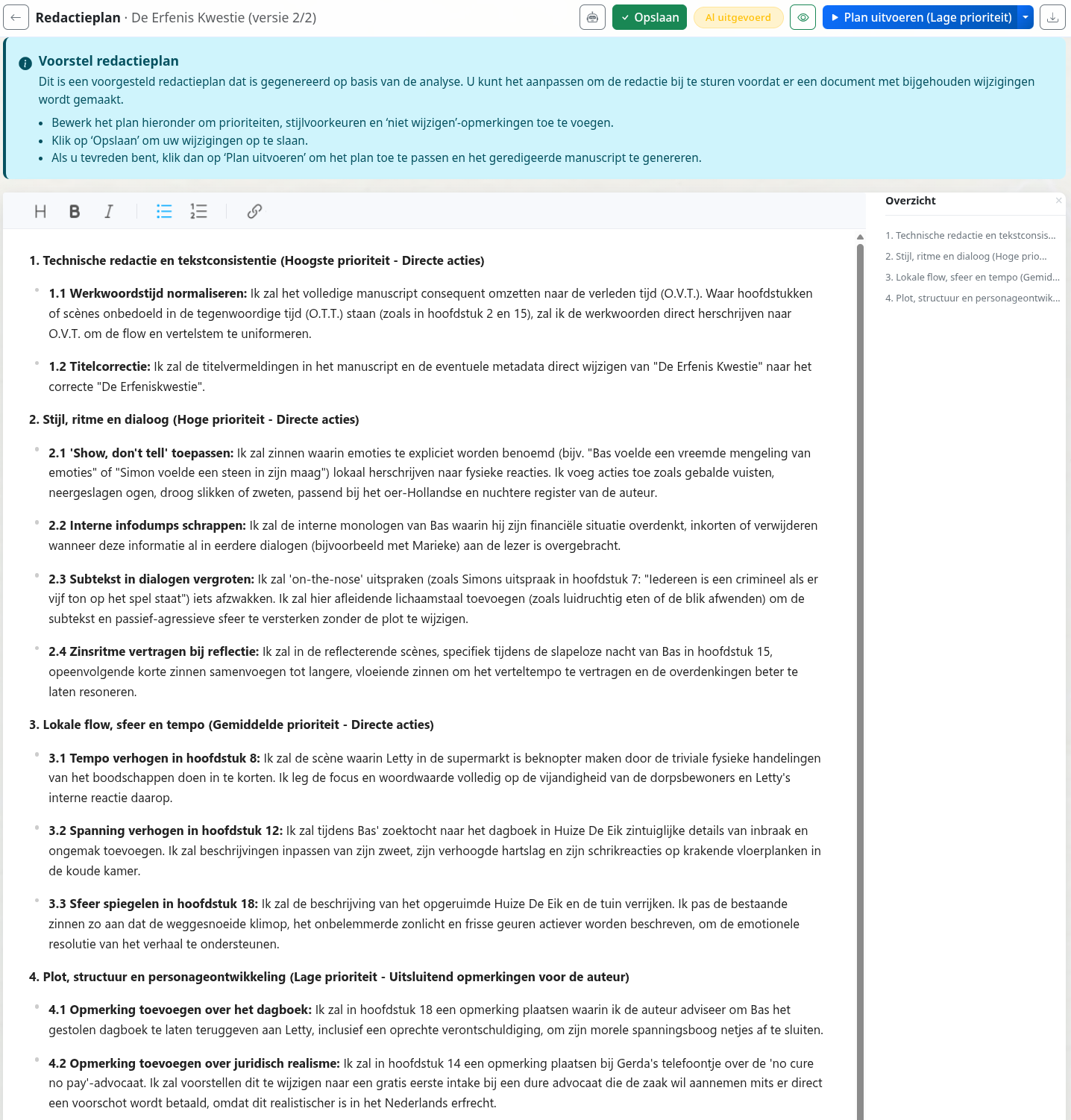
An editing plan tailored to the analysis — prioritised, with the actions the AI will run on your approval
An editing plan you can approve
Before any text is changed, EditBook.ai derives an editing plan from the analysis. You add, remove, or rewrite items — the AI follows what you approved, nothing more.

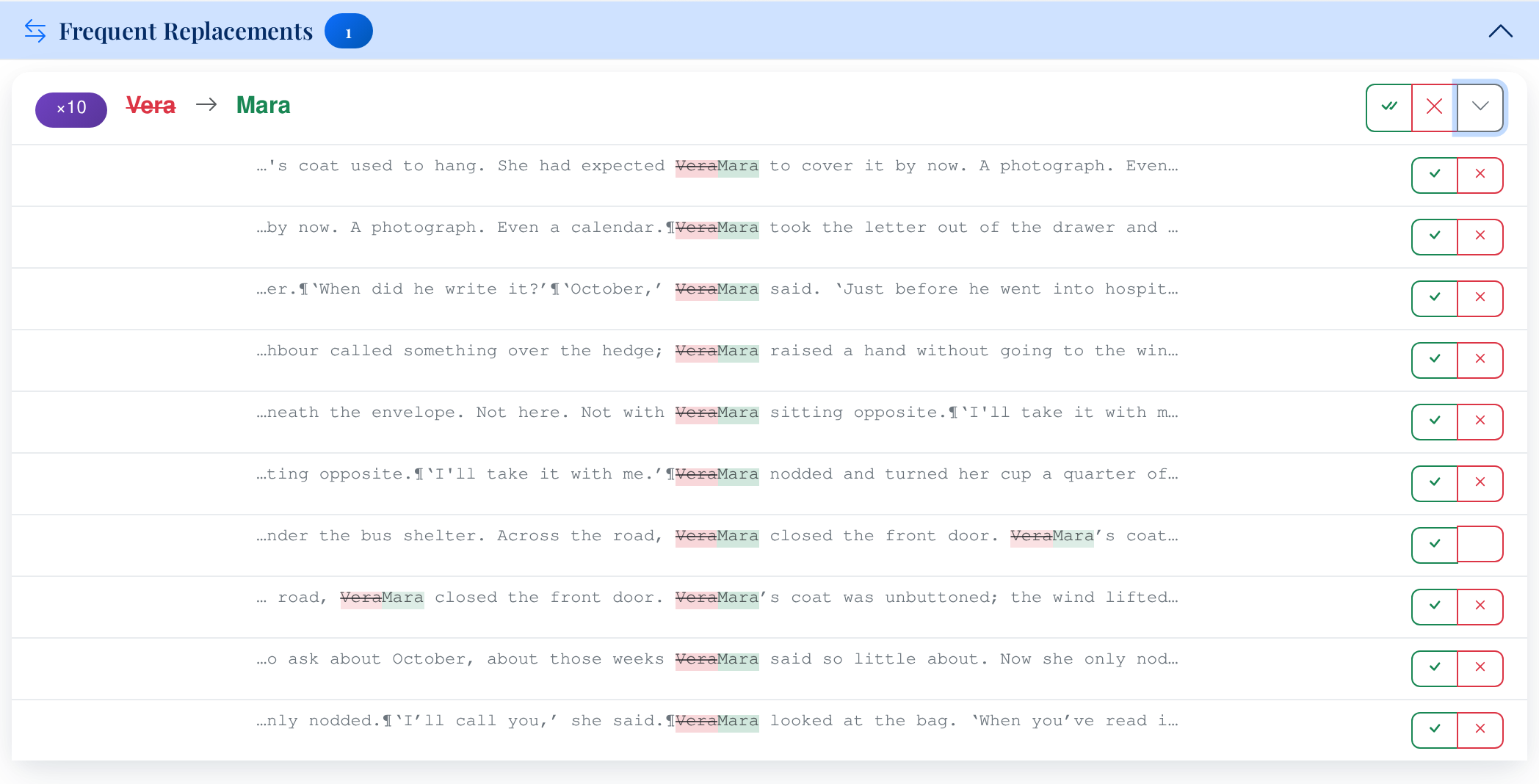
Recurring fixes are grouped — accept or reject the whole pattern at once Click a pattern to drill in and handle exceptions per occurrence
Bulk-review recurring patterns
Repeating fixes — straight to curly quotes, en-dash vs em-dash, a name consistently misspelled — are grouped. Accept or reject the entire pattern in one click, then drill in to handle exceptions.
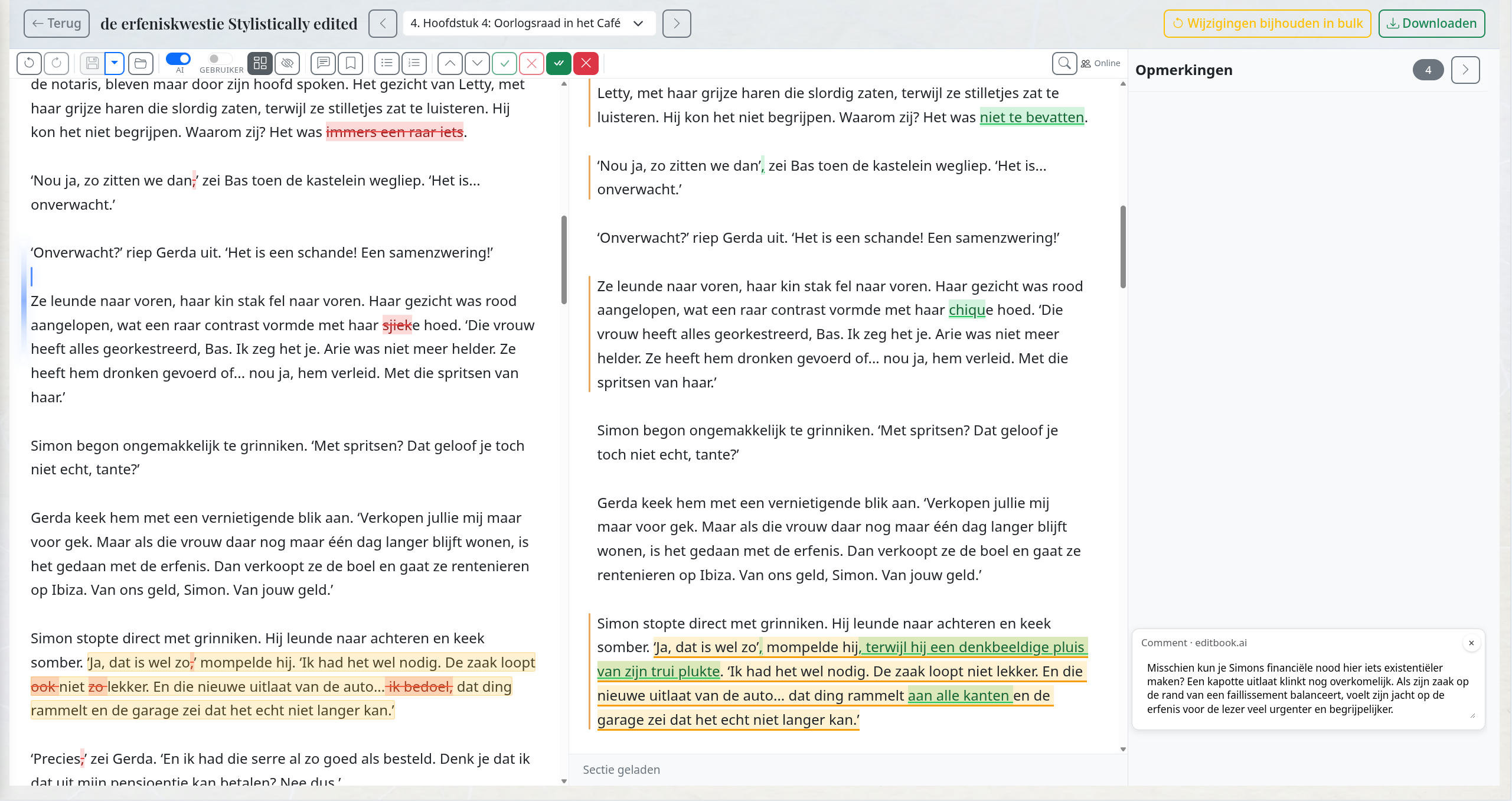
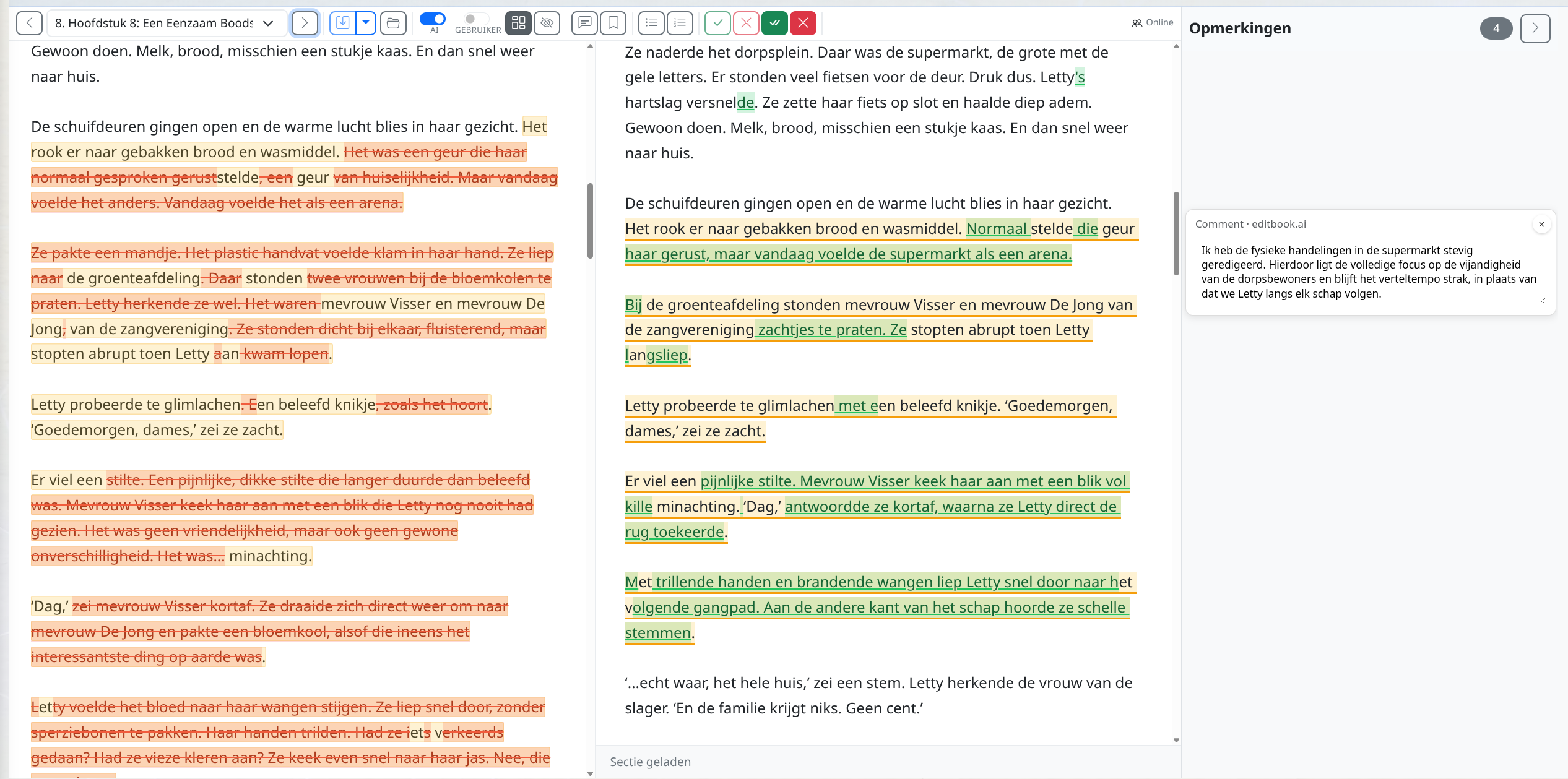
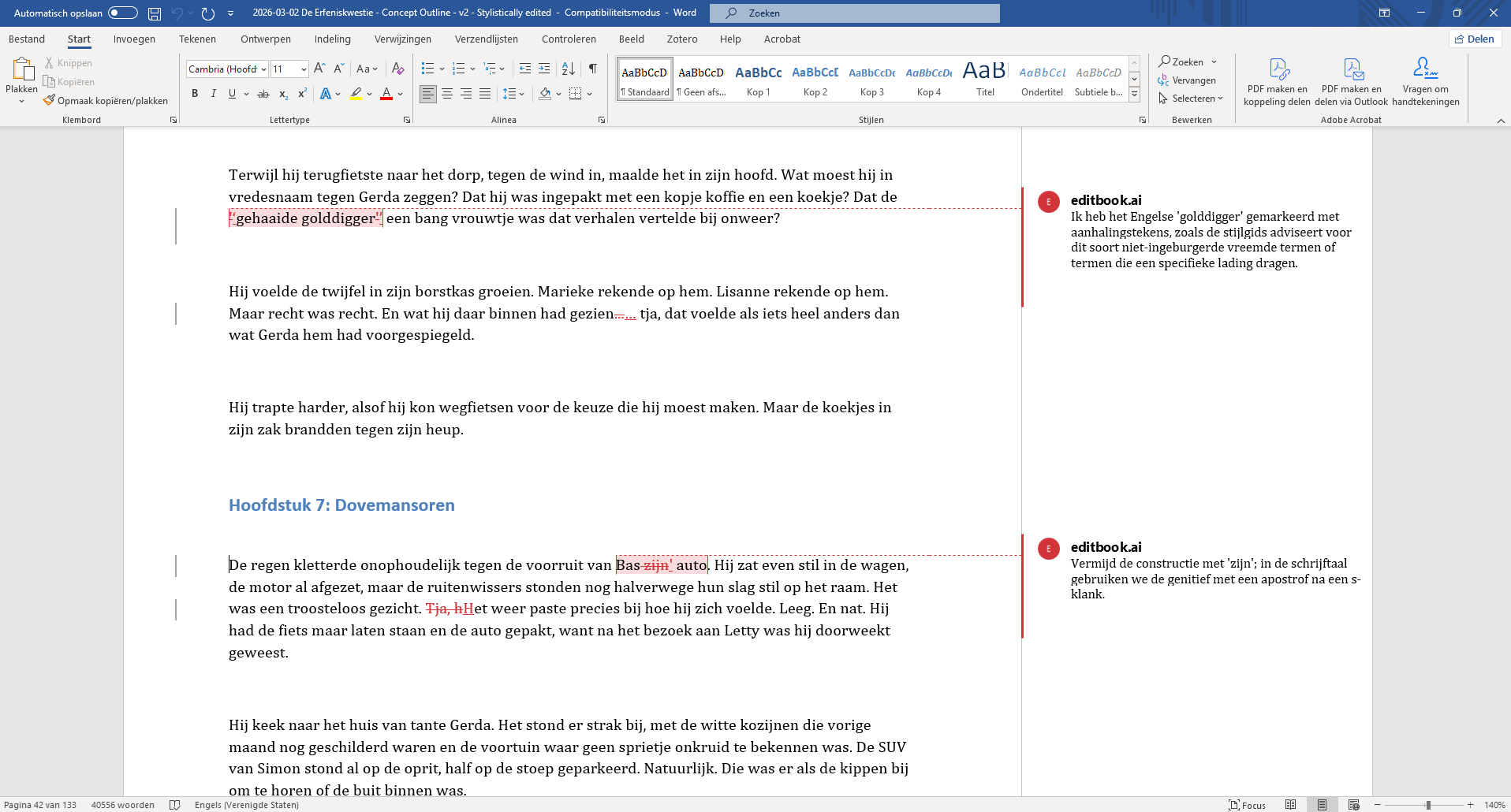
A clean editing pass: every change is a Word revision with an inline explanatory comment A heavier stylistic pass — same workflow, more work taken off the editor's plate Export to Word with tracked changes and inline EditBook.ai comments — open it like any reviewed manuscript
Track-changes editing, then export to Word
Every remaining suggestion lands as a Word revision with an explanatory inline comment. Review section by section in the browser, or download a clean .docx with the suggested revisions tracked under a configurable author name (default: "EditBook.ai"). Open it in Word or any track-changes editor exactly as you would a manuscript reviewed by a colleague.
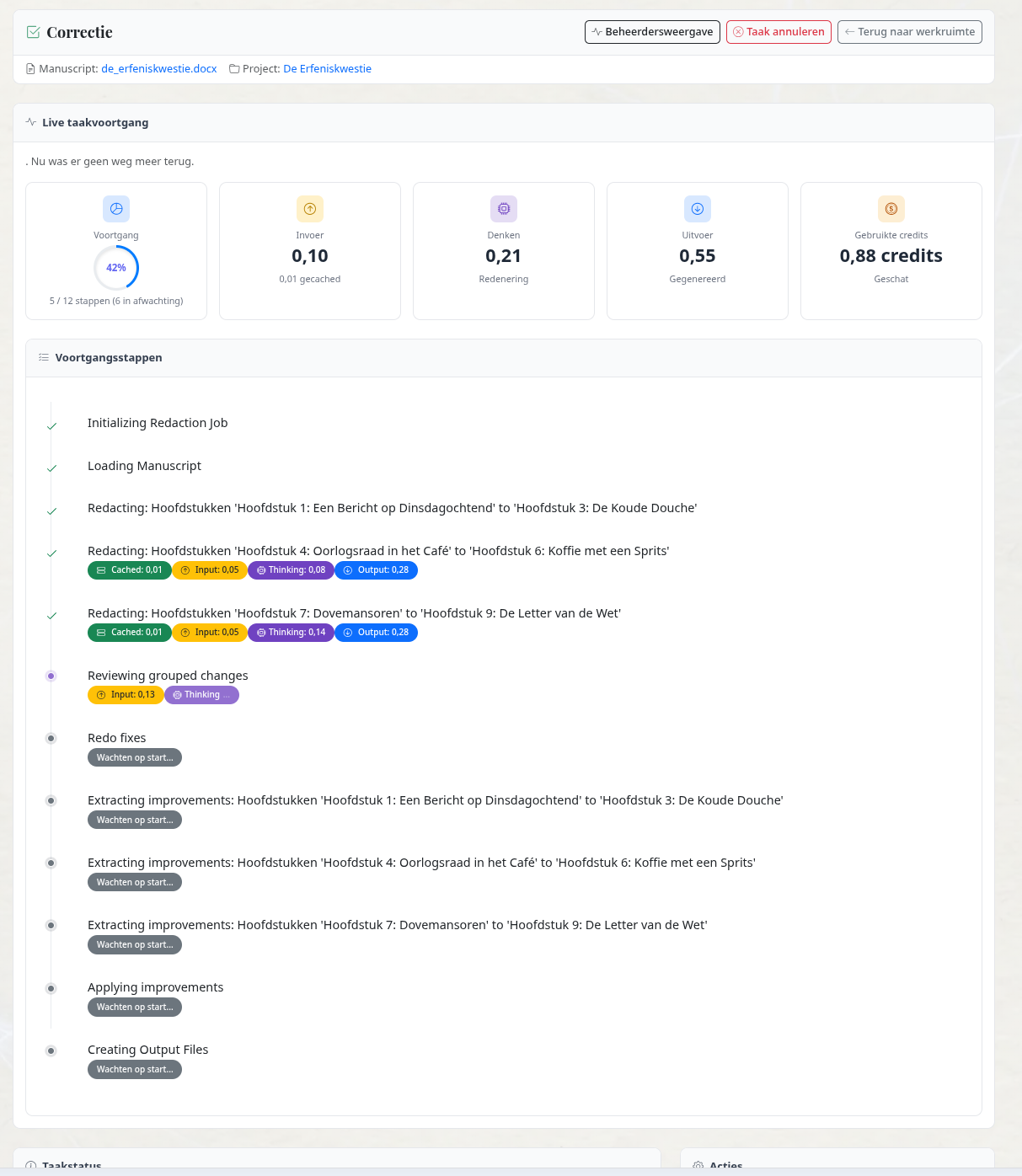
A dedicated proofreading pass walks the manuscript chunk by chunk — collecting issues, grouping recurring ones, and applying only the edits that hold up
A high-fidelity proofreading pass
A careful, dedicated round for the kind of slips that survive a first read: rare grammar errors, idiomatic misfires, style-guide drift, recurring punctuation inconsistencies. EditBook.ai walks the manuscript chunk by chunk, extracts a structured list of proofreading todos, groups recurring ones by pattern, and then applies only the edits that hold up against the manuscript and the style guide. Each step is auditable — you see what was changed, what was deliberately left, and why.
The source is analysed first — voice, register, period, terminology
Analyse the source
Voice, register, period, narrator, and key terminology are extracted from the source before any translation begins — the same analysis used for editing.
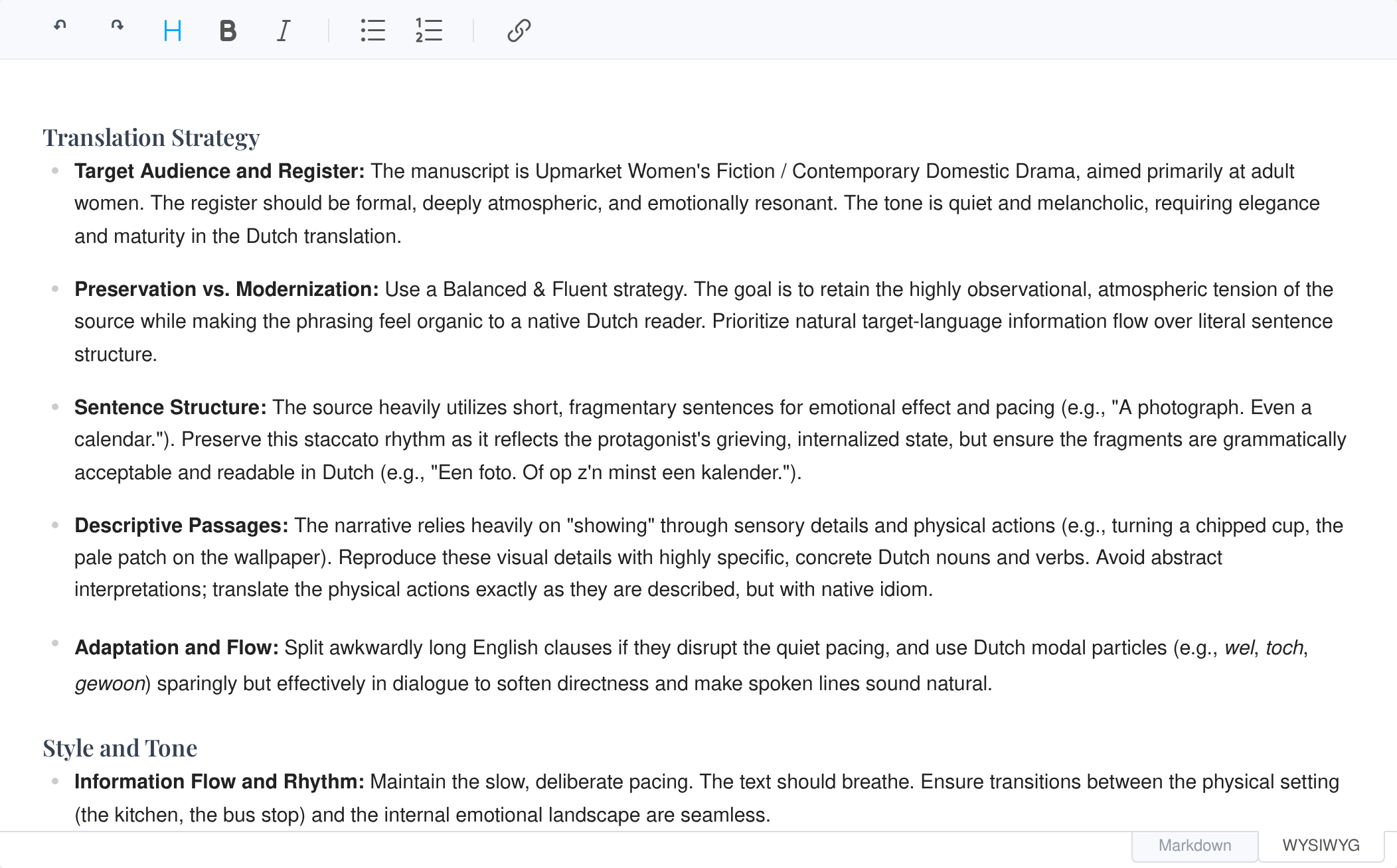
Pick a translation strategy and review extracted terminology
Pick a strategy, review terminology
Choose from literal to full adaptation on a five-point scale. EditBook.ai drafts a translation plan you can review and adjust, alongside the extracted glossary — names, ranks, idioms, interference risks — before the translation runs.
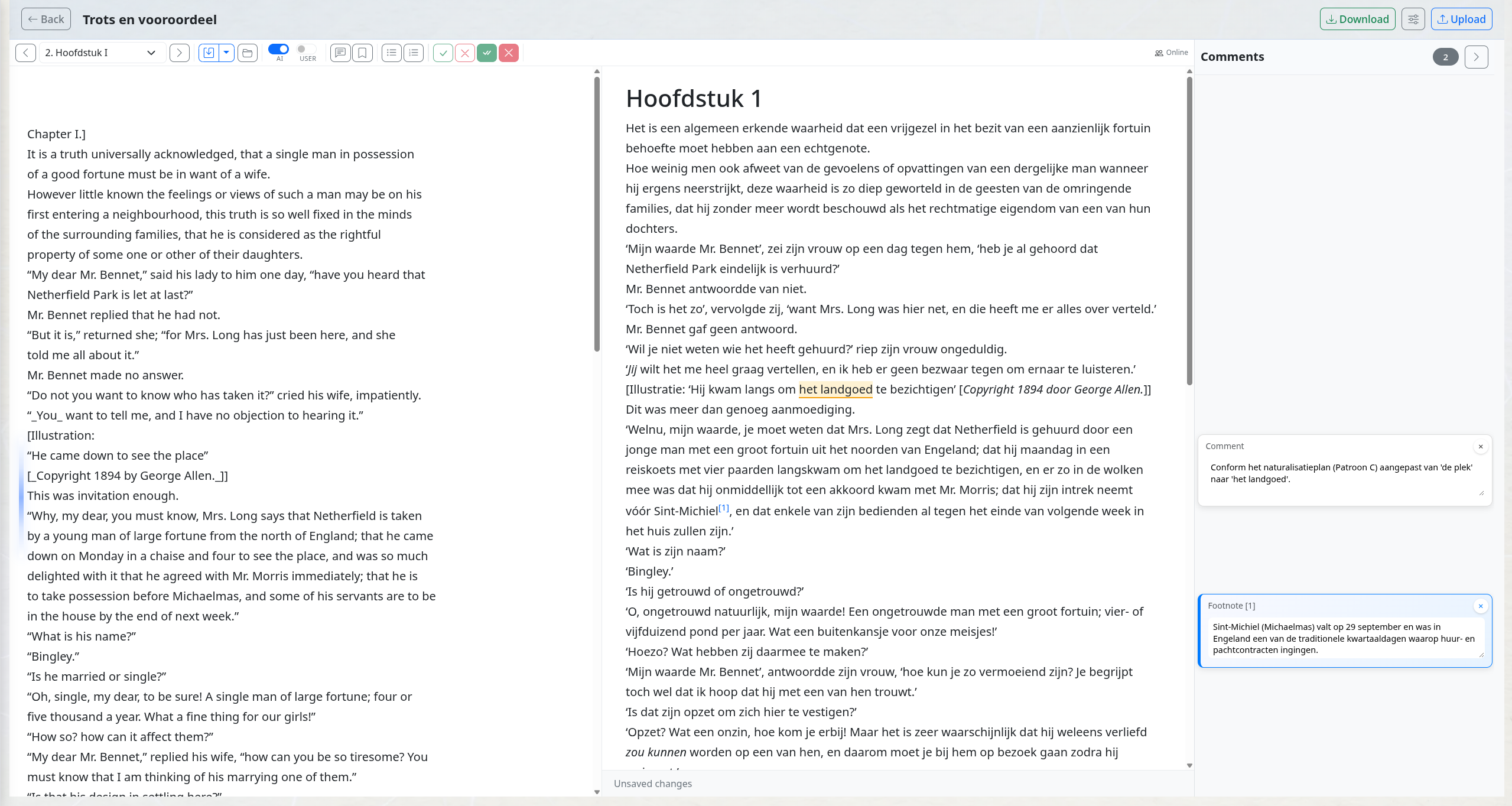
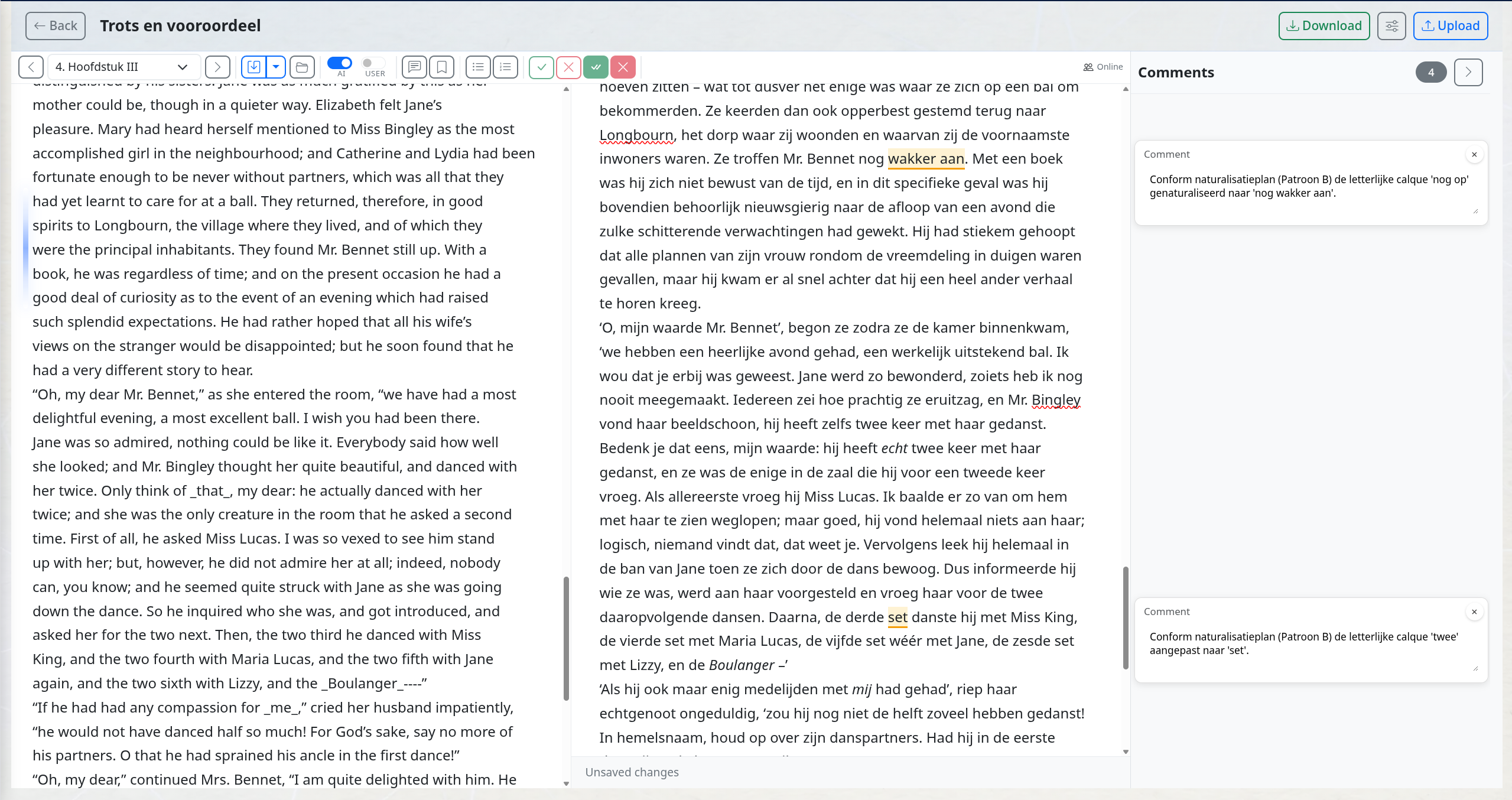
Side-by-side editor — translator comments and footnotes inline Same project, a later chapter — terminology and register hold across the manuscript
Review in the side-by-side editor
Source and target stay aligned as you scroll. Translator comments and footnotes appear inline, not buried in a chat history.
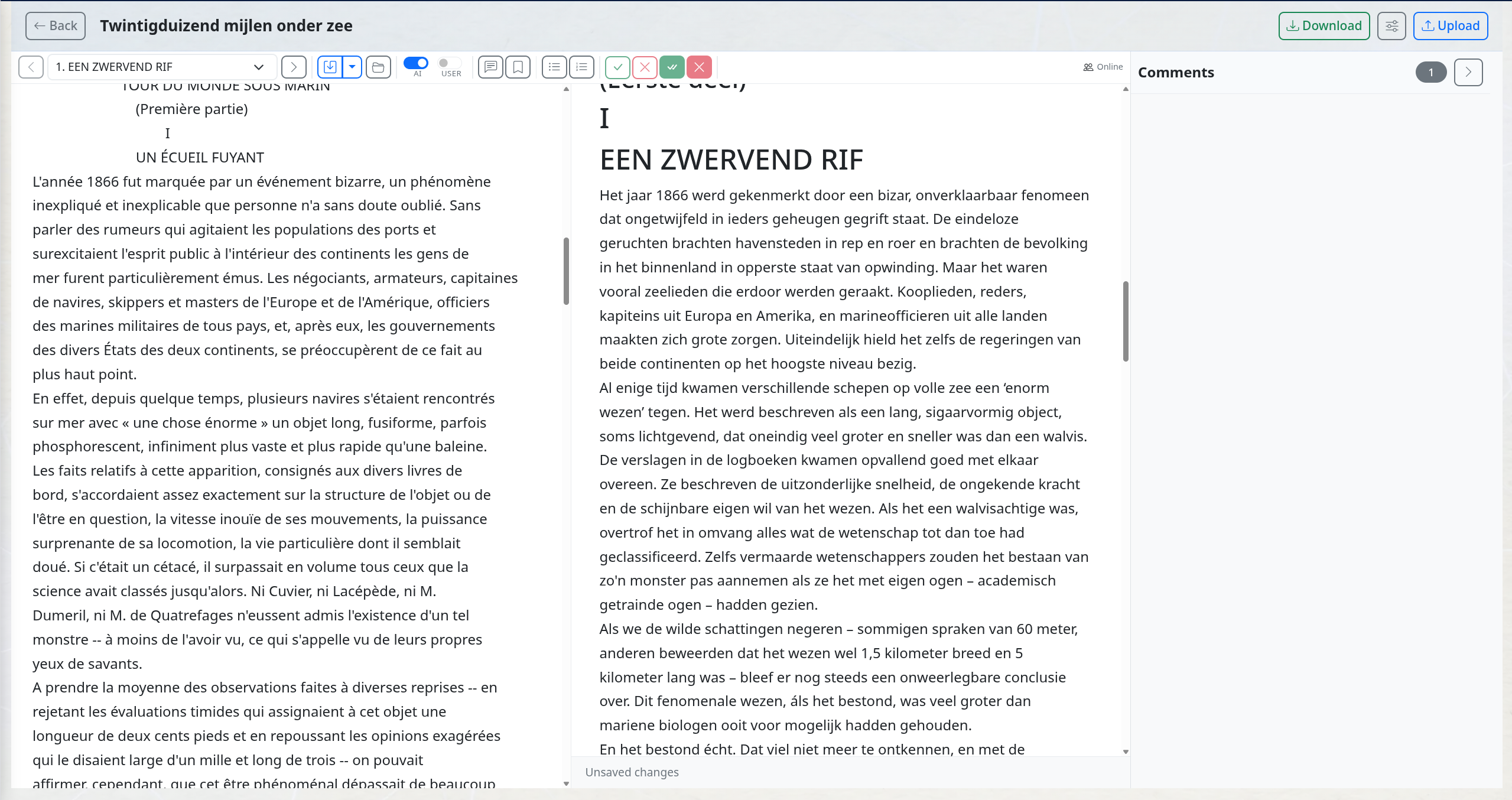
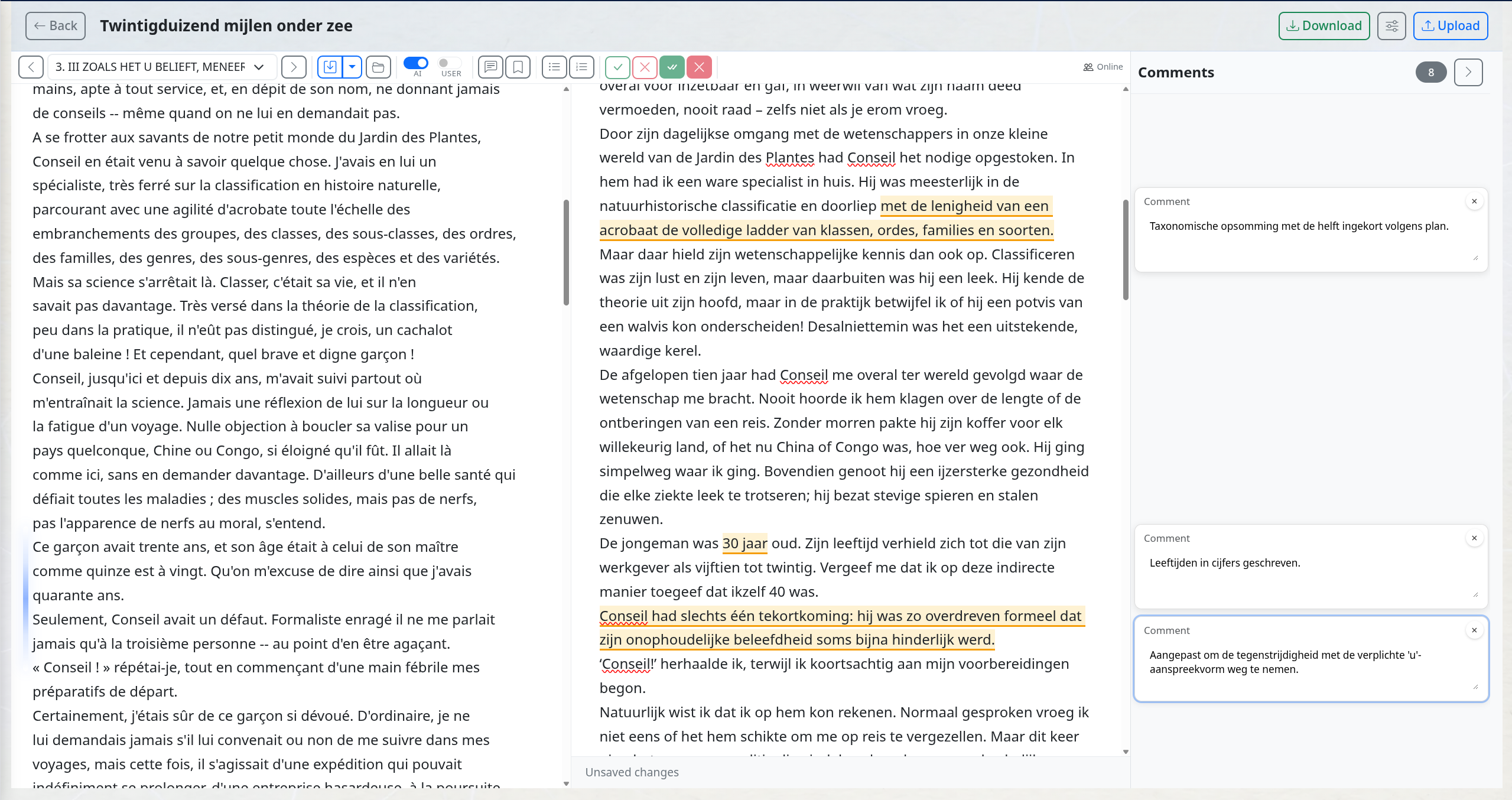
Scales to long form — 20,000 Leagues, end to end Same translation, a later chapter — voice and terminology stay consistent over 90,000 words
Scales to a full book
Terminology and tone stay consistent across chapters thanks to a cross-chapter verification pass. The screenshot below is from a full literary translation of 20,000 Leagues Under the Seas.
Translation, consistency and literary revision
The translation is prepared and reviewed in stages. The plan guides choices about meaning, register and terminology; later checks look for places where those choices need attention.
The translation comes with automatically added comments explaining choices and points for review. Afterwards, the assistant can read the source and translation side by side with you, and you can continue with editing or proofreading in the same project.
Still your translation
The AI does the heavy lift; you make the calls. Every change is yours to accept, reject, or rewrite. Publication credit stays where it belongs — with the translator.
Built for long-form, not snippets
Cross-chapter verification passes keep terminology, period, and register consistent across a 90k-word manuscript. Designed for literary novels, memoir, and non-fiction — not for one-paragraph snippets.
Built for the people around the manuscript
The same workflow scales naturally when more than one person is involved — and when an imprint or publisher needs a consistent house style across every project.
Bring in the people the manuscript needs
Invite an external editor to the project — their work runs against your account, not a separate licence. Invite the author when you want them to review the AI's proposed changes alongside you. Each contributor's edits and comments are attributed to them in the track-changed document. The Business plan adds a list-wide overview so a managing editor sees every project, every state, in one place.
Your house style — loaded once
Set the style guide at the imprint level. Every project picks it up automatically. Consistency checks run across the whole manuscript, not just the chapter the editor is looking at — catching what tired eyes miss in the final pass.
Two publisher settings shape every project
Before the workflow starts, you can define who an imprint publishes for and which house style it follows. Those settings feed the analysis, corrections, and reports.
Audience fit at the imprint level
Describe the audience once for a publisher or imprint — academic, Christian readership, literary fiction, regional history, business non-fiction, or any other clear readership. EditBook.ai uses that description in manuscript analysis and reports so you can see whether a book fits the list.
Your style guide, applied automatically
Add the imprint style guide in settings once. EditBook.ai then takes it into account during corrections and editing, so spelling, punctuation, capitalization, naming conventions, and recurring preferences stay consistent.
Keep the author’s email with the manuscript
A new version arrives by email, with an explanation of the changes. Forward it from your email app to your workspace’s personal forwarding address. EditBook proposes the matching project, a new manuscript version or a new project.
Review the proposed destination and attachments in the inbox. You can also include an instruction such as “@editbook: run an analysis”; your workspace’s command settings determine whether it can run or needs confirmation.
See how email forwarding works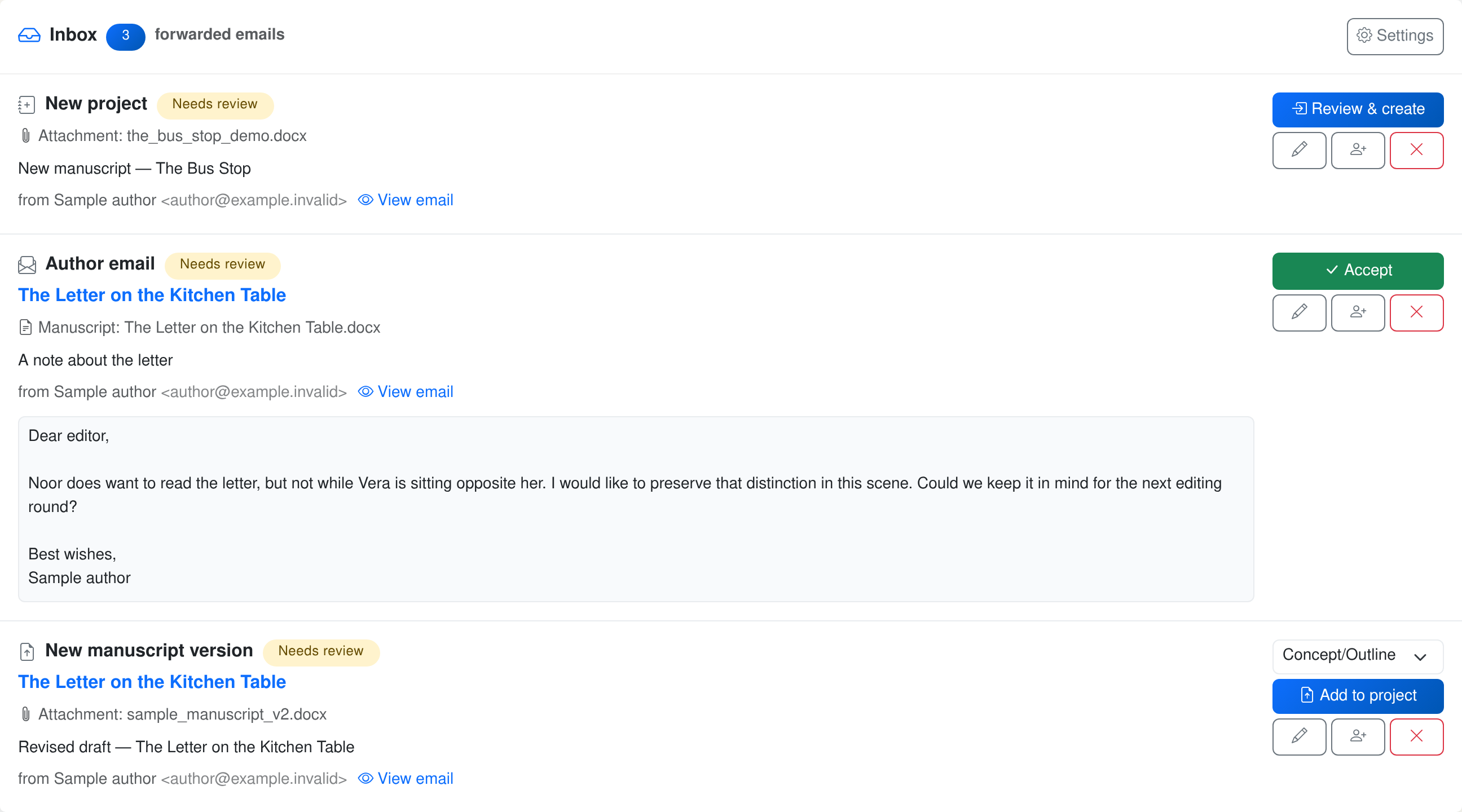
Ready to try it on a manuscript that needs a careful next pass?
A one-time project licence unlocks the workflow. You stay in control of the analysis, edits, and export, and only pay for the AI tasks you actually run.
New accounts currently open by invitation. Join the waiting list; you can view the examples without an account.