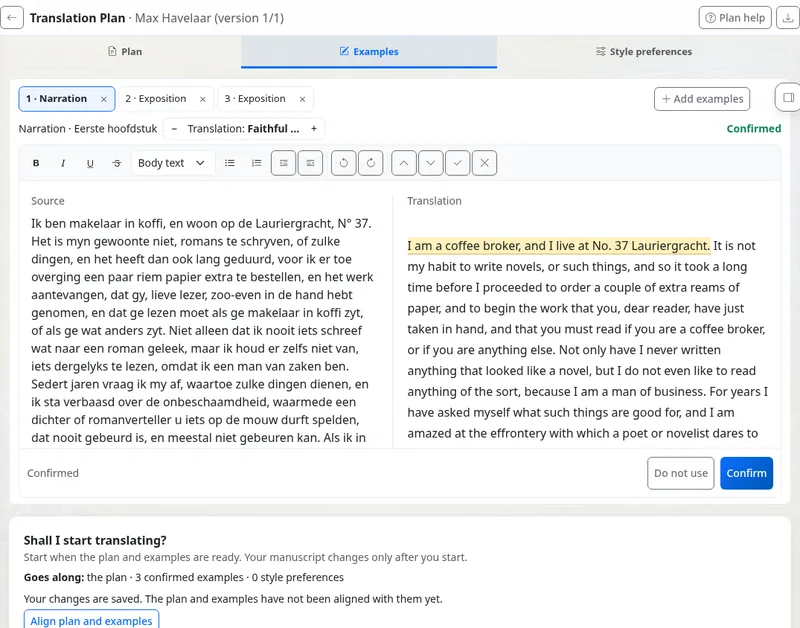
An image generator can produce a striking picture in seconds. A book cover asks for more. The title and author name have to be real type that you can still correct. The spine has to fit the page count. The back needs a blurb and a barcode, and the file has to match your printer’s measurements. In a chat you also work on one image at a time, and sooner or later you are asking for “the one from five rounds ago”.
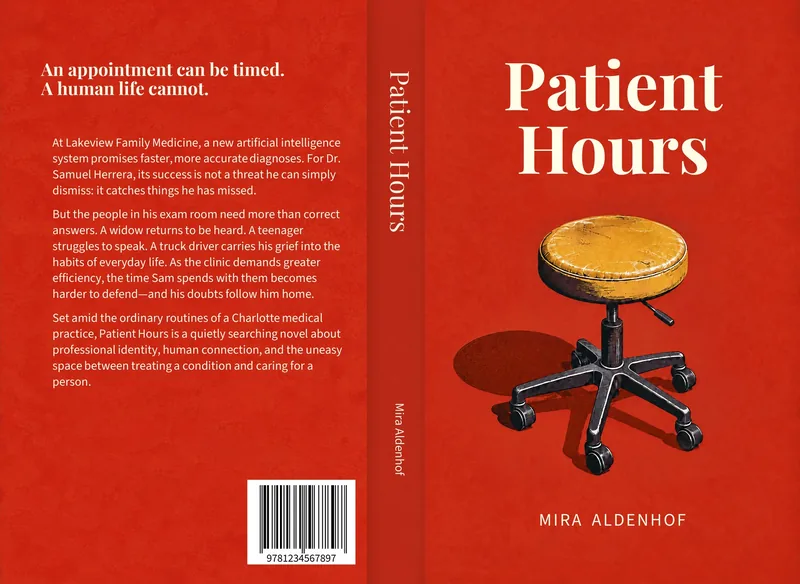
The cover studio is made for the whole job. To show it, we made covers for three fictional demonstration novels. This post follows one of them: Patient Hours, about a family doctor whose practice installs a diagnostic AI.
Explore: several ideas side by side
The studio starts by reading the manuscript. For Patient Hours it proposed five titles, each with a short argument for and against, and then five cover ideas with a sketch each: a charcoal portrait, a consulting-room stool on red, a kitchen at night, an appointment grid, an empty examination table. We had not typed any direction ourselves.
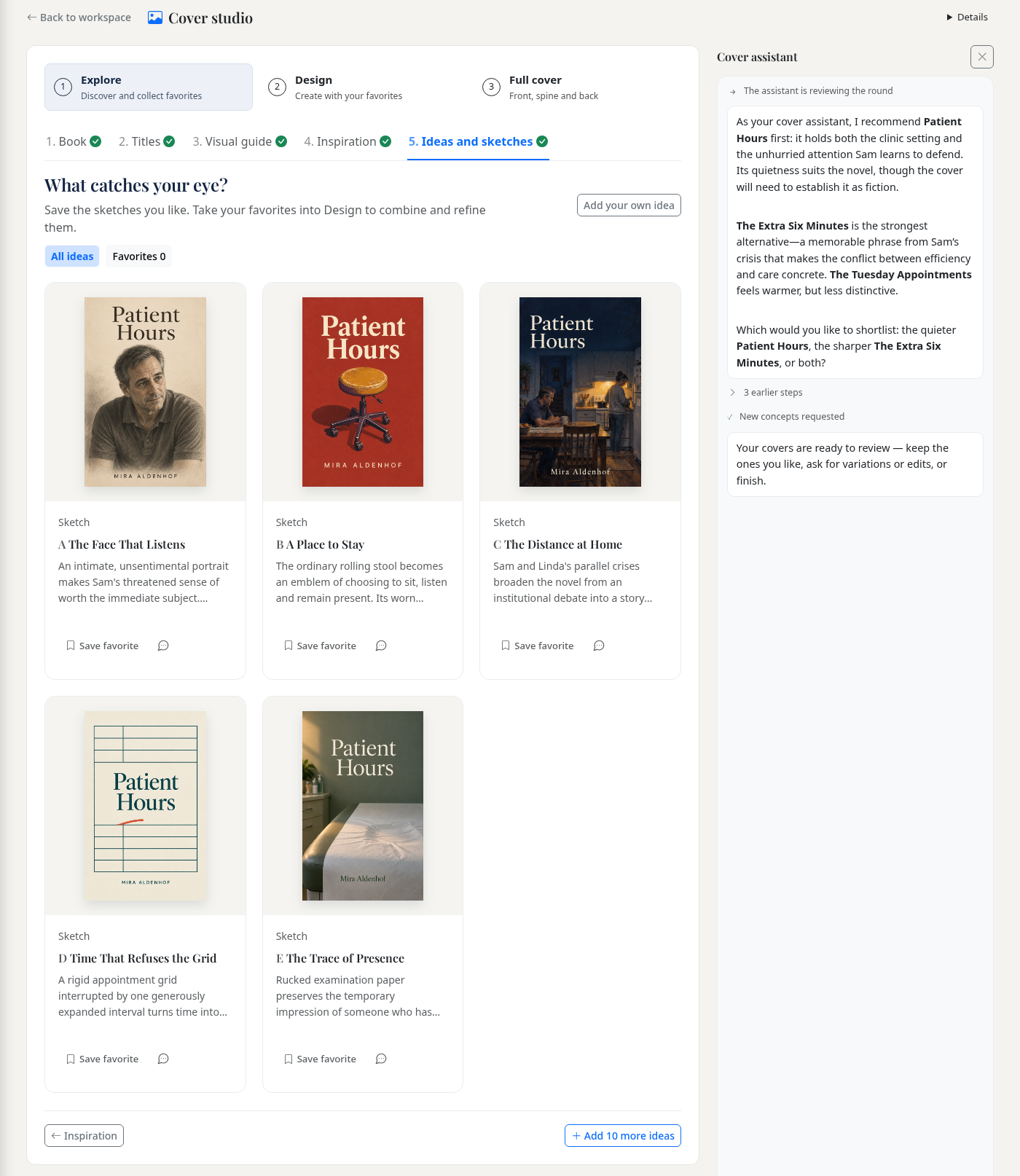
You save the sketches you like as favorites. They stay next to each other, so you compare ideas instead of scrolling back through a conversation.
Design: every direction keeps its own versions
Each favorite becomes a direction of its own, with its own versions. You say in plain language what should change. For the typographic cover we wrote:
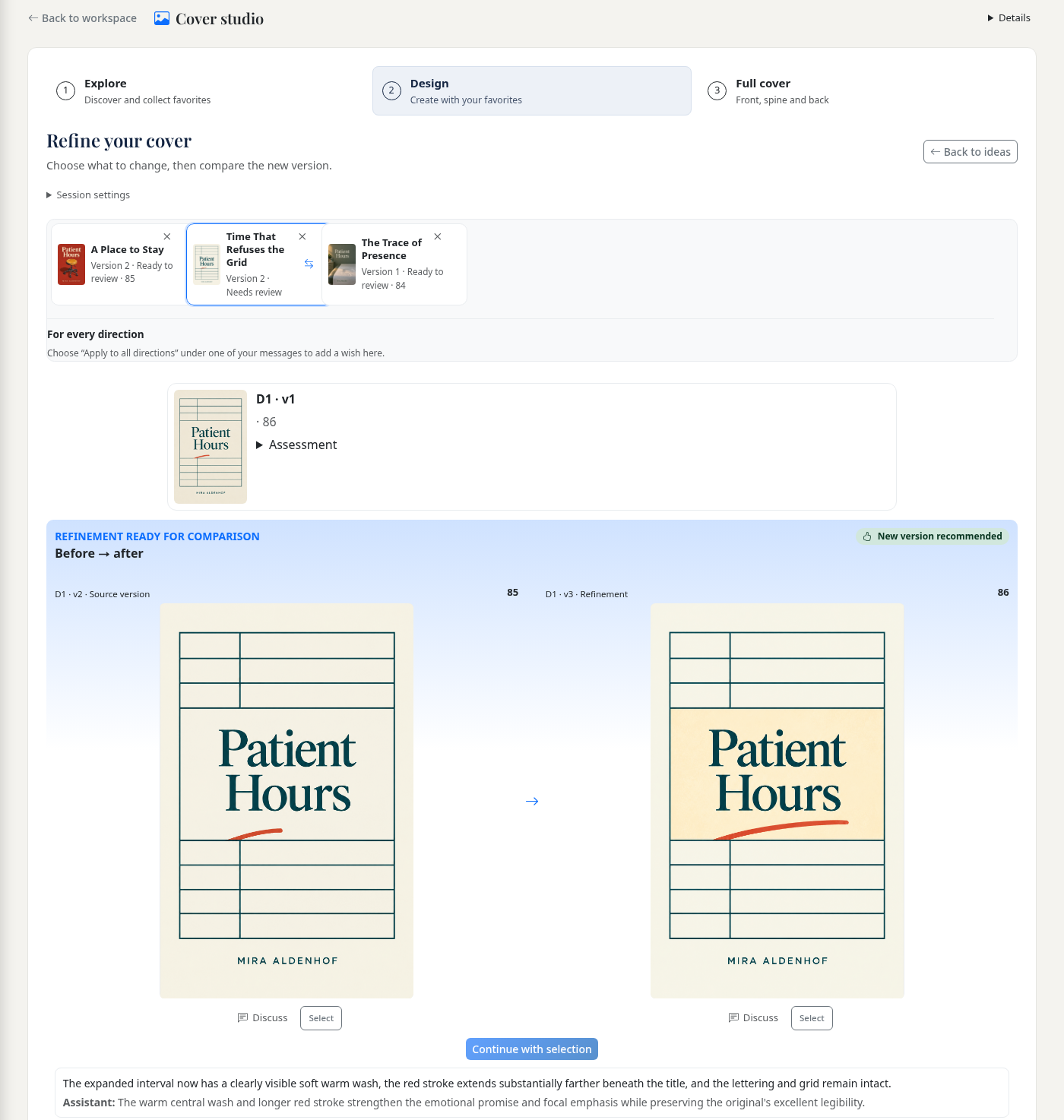
Fill the one expanded interval in the appointment grid with a soft warm wash, so the open time feels like the generous part of the day, and let the red pen stroke run a little longer under the title. Keep the lettering and the rest of the grid as they are.
The new version arrived in under a minute and was placed beside the previous one, with an assessment of what had changed.
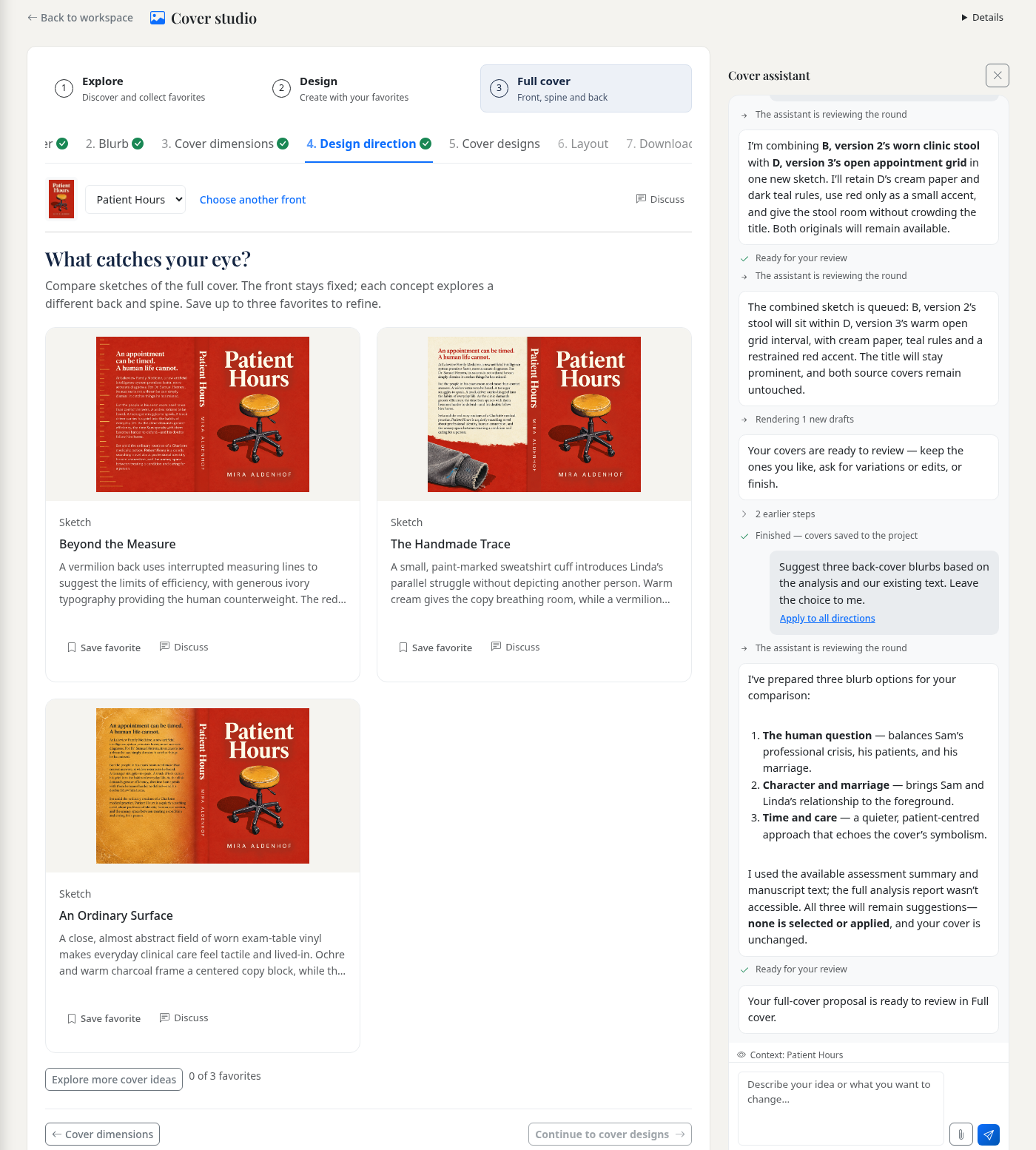
You can also refer to covers by their letter, for instance to have the assistant combine two of them: “Combine @B and @D: put the worn clinic stool from @B inside the open, warm interval of the appointment grid from @D.”
Full cover: spine, back and barcode
Once you have chosen a front, the studio prepares the full cover. You write or pick the blurb (the assistant suggested three and we chose one), and you enter your printer’s measurements and the ISBN. For this book that was 135 × 210 mm, 288 pages, an 18 mm spine and 3 mm bleed. The studio then sketches complete covers in which the front stays as it is and the back and spine differ.
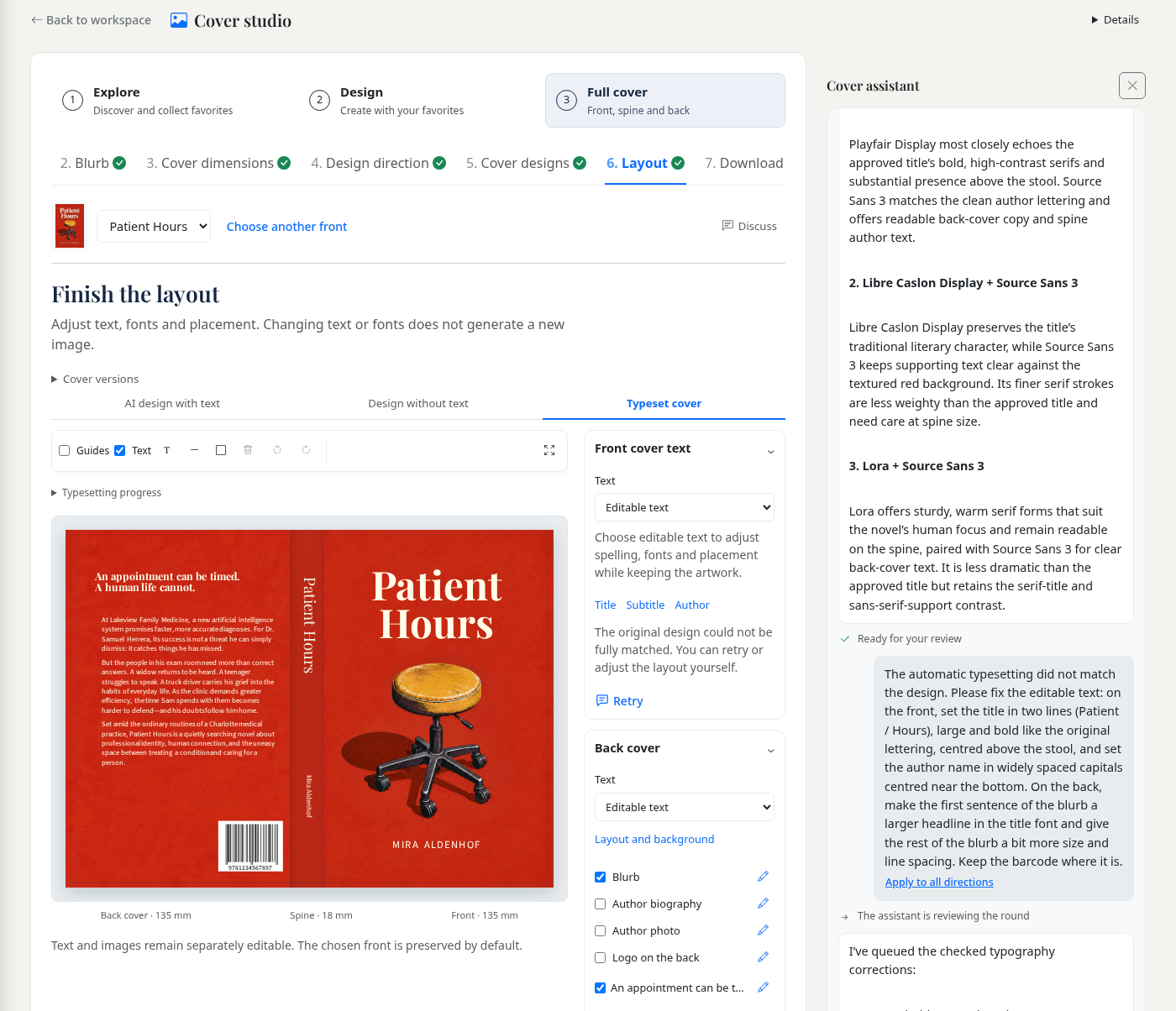
In the layout step the text is real type. Title, author name, spine and blurb can be reworded, set in another font or moved, without generating a new image. For this cover the automatic layout did not match the chosen design straight away; one message to the assistant and three small corrections by hand finished it.
What you download
- a proof PDF to review and share;
- a print file in the format your printer asks for, for example PDF/X-1a in CMYK, with the fonts embedded and the barcode made from the ISBN;
- the front cover for the e-book;
- an editable package with the layout, images and fonts for a designer.
Three books, three looks
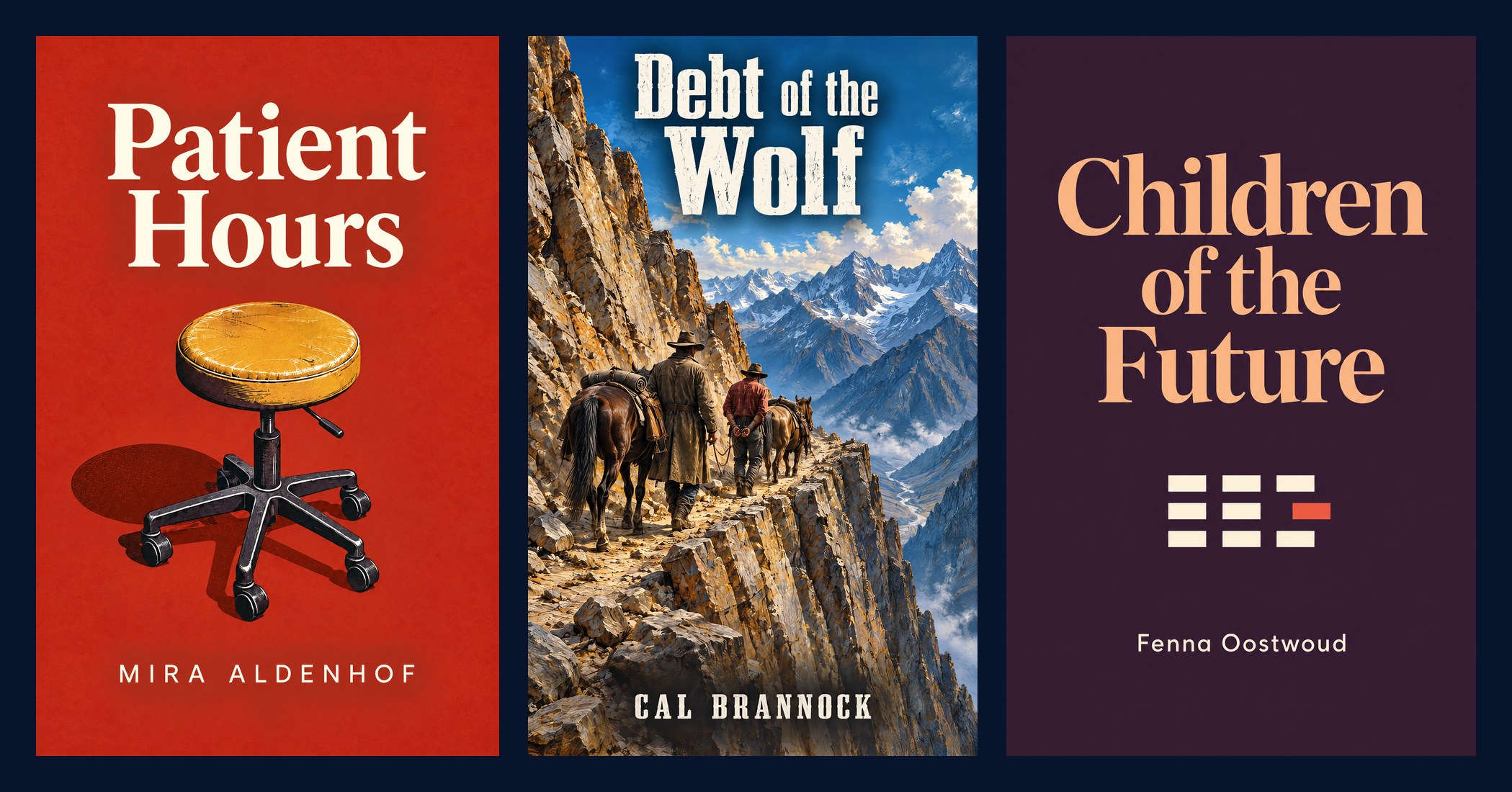
The western Debt of the Wolf and the school novel Children of the Future went through the same steps and came out looking nothing like Patient Hours.
For Patient Hours, the time from opening the studio to the downloaded print file was just under an hour, much of it waiting for images while we worked on the other two books. The session used about four credits.
The cover studio is part of the Studio project license. Credits pay for the AI work in the studio, such as the sketches and images; the pricing page shows what a project costs. You open the studio from your project’s workspace.