
I ran into this constantly in the early days of trying to use AI assistance in my own editing practice. The output was sometimes genuinely good. But I had no way to review it with an author without first untangling what had been done to their manuscript. That’s not a minor inconvenience — it undermines the entire collaborative relationship.
The conversation that track changes enables
When you send a marked-up manuscript back to an author, the red strikethroughs and green insertions aren’t just a record of what changed. They’re an invitation to a conversation. The author can see your thinking, push back on specific choices, accept some suggestions and reject others. The manuscript stays theirs throughout that process.
When we started building EditBook, this was the thing I kept coming back to. If the AI was going to work with an editor rather than around one, its suggestions had to be visible in the same way any editorial suggestion is visible. That meant native Word track changes — not a comparison document, not a highlighted export, but an actual revision that appears in the author’s .docx file the same way a human editor’s changes would.
It also meant explaining the reasoning. An AI can change “he walked slowly” to “he trudged,” and that might well be the right call. But if there’s no note attached, the author has no way to understand why — is this a style preference, a pacing consideration, a register issue? We made it a rule that every significant change comes with a comment: something like “more evocative verb; sidesteps the adverb. Worth checking whether this fits how you’ve characterised him elsewhere.” That’s the kind of note you’d hope to get from a thoughtful colleague.
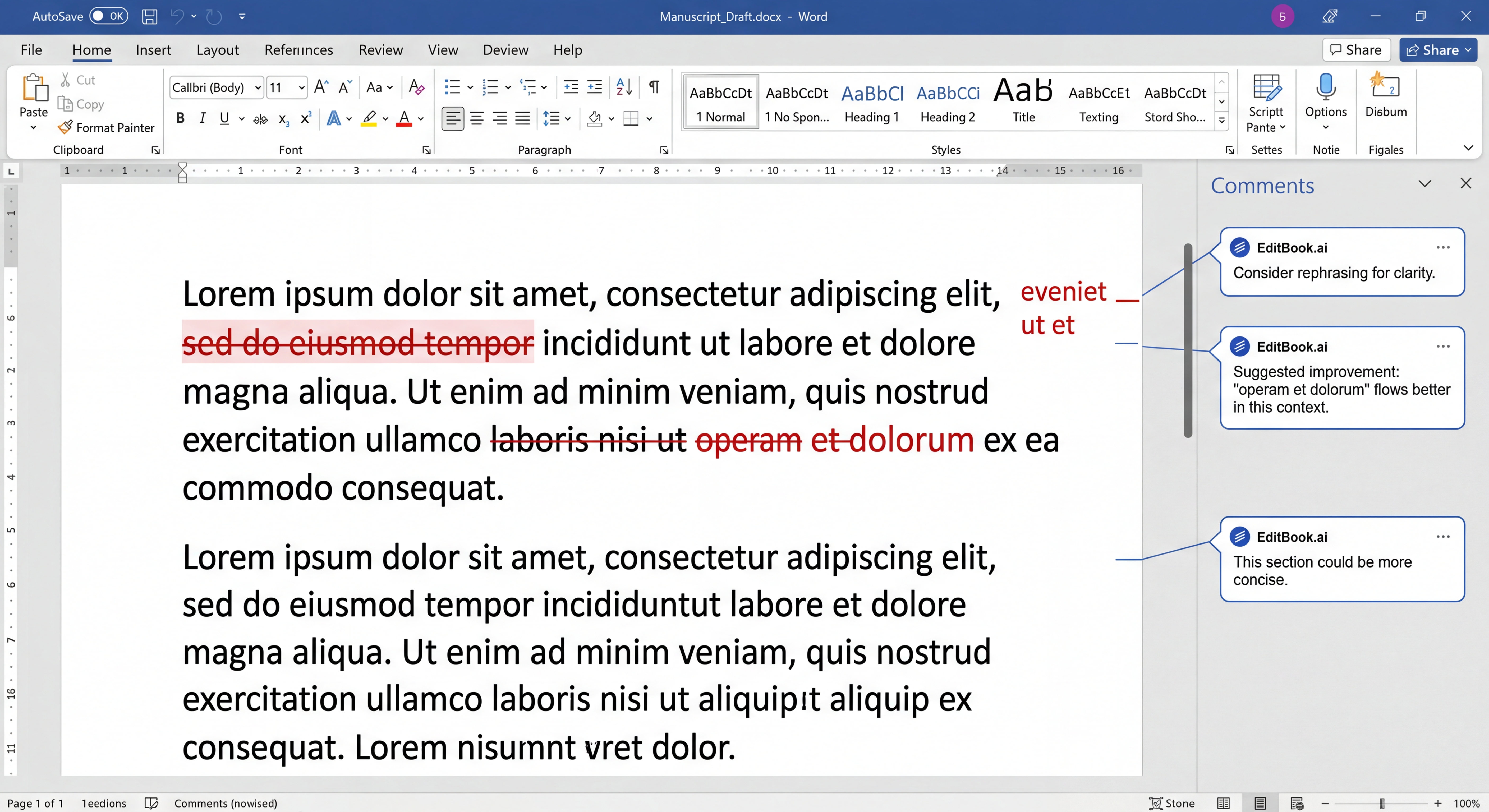
Each AI suggestion appears as a native Word revision with an attached comment explaining the editorial reasoning.
Why Word’s format has lasted
The Track Changes format has been around since the late 1990s, and it has survived every attempt to replace it. Authors know it. Agents expect it. Production workflows are built around it. There’s a reason for that longevity: the format is transparent in a way that newer tools rarely are. Every change is attributed and reversible. Nothing is silently overwritten.
For editors working with authors who may be anxious about AI involvement in their manuscript, this transparency matters more than any technical capability.
The moment an author can see exactly what was suggested, and choose to accept or decline each change on its own merits, the dynamic shifts. They’re still the author. The AI is just another voice in the margin.
What this means in practice
If you’re using AI-assisted editing and sending authors clean replacement files, I’d gently suggest that you’re making your own work harder. The questions will come — what changed, why did you cut that paragraph, whose idea was the restructuring — and without a revision trail, you’re answering from memory.
Track changes gives you a record of every decision. It makes the AI’s involvement legible rather than hidden. And it keeps the editorial relationship intact, because the author has agency over the outcome rather than just being handed a result.
That’s the version of AI assistance that’s actually useful in a publishing context. The one where the editor’s judgement still shapes the final manuscript — the AI just helps carry more of the weight.
Froukje is an editor and the founder of EditBook. She has been editing literary and non-fiction manuscripts for over fifteen years.