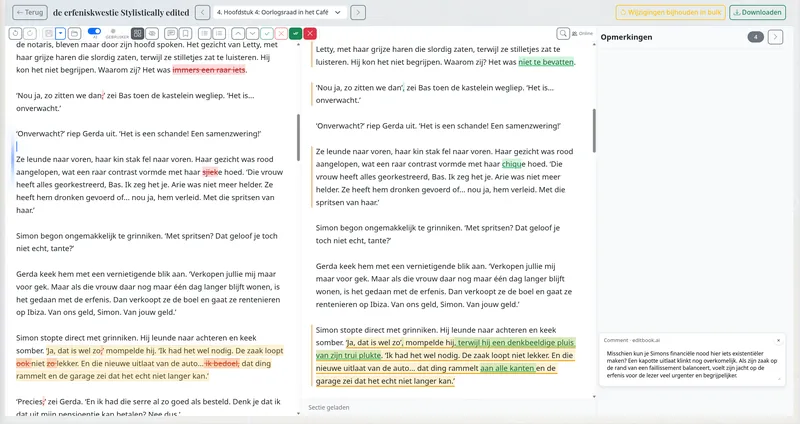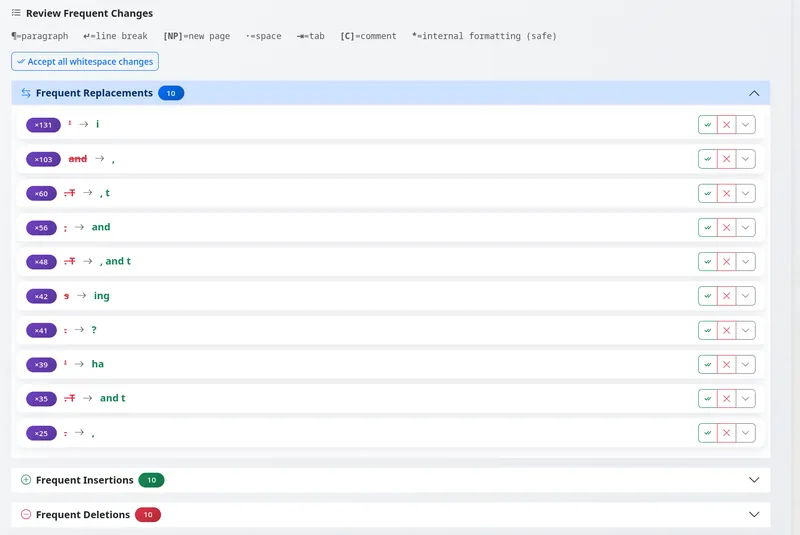
The new bulk-review surface in EditBook.ai is a direct response to this. Before you go through the manuscript page by page, the system groups recurring changes for you by pattern. Each group shows you the change, the occurrence count, and one set of Accept / Reject / Modify buttons that apply to all of them.
How it works
After any editing pass finishes, you land first on the bulk-review screen rather than the chapter-by-chapter view. The screen groups changes into four categories:
- Frequent replacements — the same find-and-replace pattern repeated. “It’s” → “It is” across 18 occurrences, for example.
- Frequent insertions — the same word or phrase inserted at the same position across many sentences (typical for adding Oxford commas or rebalancing sentence rhythm).
- Frequent deletions — the same word removed throughout. “Just” gone from 23 places.
- Frequent comments — the same editorial note attached to multiple passages.
For each group, you see the count, a short summary, and a sample sentence in context. One click handles the whole pattern.
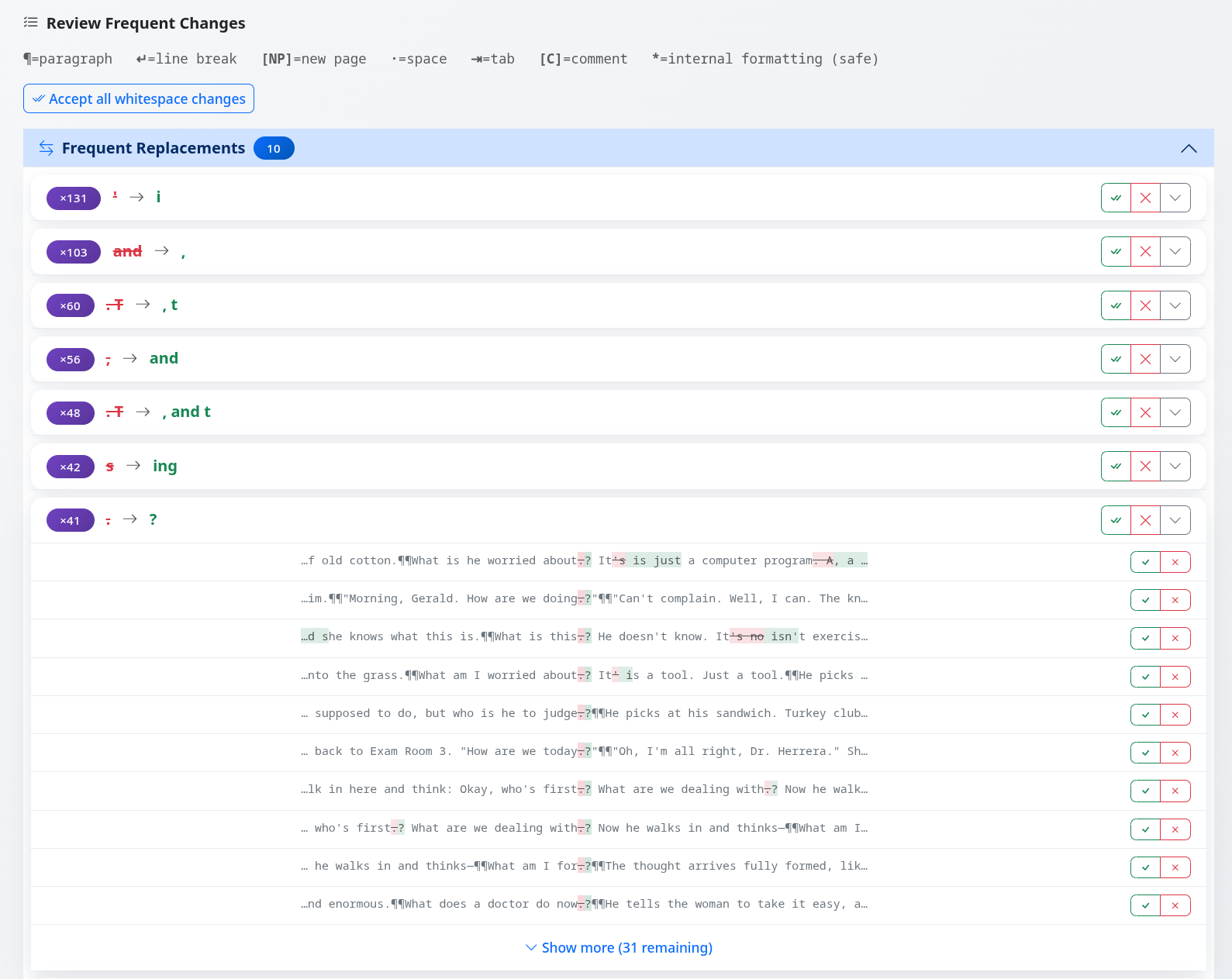
Expanding a group reveals every occurrence in its original context. You can still override individual cases without leaving the bulk view.
When you want to look closer
The bulk view is fast, but it isn’t a black box. Every group is expandable: click any pattern and you see each occurrence in its original sentence, with the change highlighted. From there you can:
- Accept or reject the whole group in one click.
- Accept the group but exclude two or three problematic instances.
- Reject the group but keep the one occurrence where the AI’s call was actually right.
This lets you handle dozens of consistent corrections in seconds — and then spend your time on the changes that genuinely need editorial judgement.
Why it changes the rhythm of review
Before this feature, an editor reviewing a heavy proofreading pass would have to decide for each occurrence whether the AI’s correction was right. Half the brain energy of an editing session was going into restating the same yes-or-no decision over and over. With bulk review, you make that decision once per pattern. The cognitive load drops dramatically, and you arrive at the per-sentence changes — the ones that actually need a human eye — with your attention intact.
A long editing pass produces two types of changes: the obvious patterns and the judgment calls. They deserve different review interfaces. We’ve finally given them different review interfaces.
The bulk-review view appears automatically whenever an editing or proofreading run completes. You can always switch to the classic per-change view from the editor’s top-right menu — but most editors don’t go back after they try the new flow.
Posted by the EditBook.ai dev team. We write here when we ship something new.