

New feature
New: author emails in your workspace
Forward author emails to EditBook and request an assessment. Plus multiple perspectives, market research and small improvements to the editor.
EditBook.ai connects AI with everyday editorial practice: human intuition and experience remain in charge, while machine precision helps make analysis, correction and editorial preparation faster and more consistent.
For each manuscript, you receive a structured reader's report and an author feedback report: what works, what needs attention and how much editorial work the book is likely to require. The analysis can be aligned with the publisher's own audience profile.
EditBook.ai translates the analysis into targeted recommendations for language, style, structure, tone and consistency — and applies them across the full manuscript. The publisher's style guide can be taken into account.
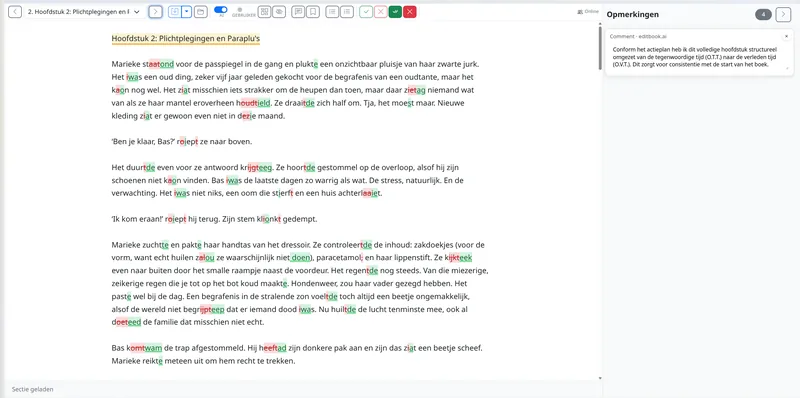
Corrections and editorial changes appear as tracked changes or comments in Word or in the online editor, with short explanations. The editor or author reviews every change themselves: the author's voice is preserved, without an opaque AI rewrite.
New accounts currently open by invitation. Join the waiting list; you can view the examples without an account.
See how it worksFurther reading: How to Triage a Submission Pile Without Losing the Hidden Gems · Why Track Changes Is the Most Important Feature in Editorial AI
Pay per project, not per month. One license unlocks the workflow for a project — after that pay only for the AI work you actually run. See pricing
After several revisions, it becomes hard to see your own text clearly. EditBook.ai gives you a structured report, concrete feedback, and suggested edits in Word.
New accounts currently open by invitation. Join the waiting list; you can view the examples without an account.
View pricingFurther reading: Your First Draft Is Done. Now What? · The Manuscript That Won't Come Right
Pay per project, not per month. One license unlocks the workflow for your project — after that pay only for the AI work you actually run. See pricing
EditBook.ai helps you keep tone, register, terminology, and footnotes consistent across the book. Source and target text side by side.
Choose how free the translation should be: from literal to adapted. EditBook.ai creates a translation plan you can adjust and applies it to chapters, terms, and later revisions.
Names, titles, key terms, and difficult expressions are captured once and used consistently throughout the book — including in later revisions.
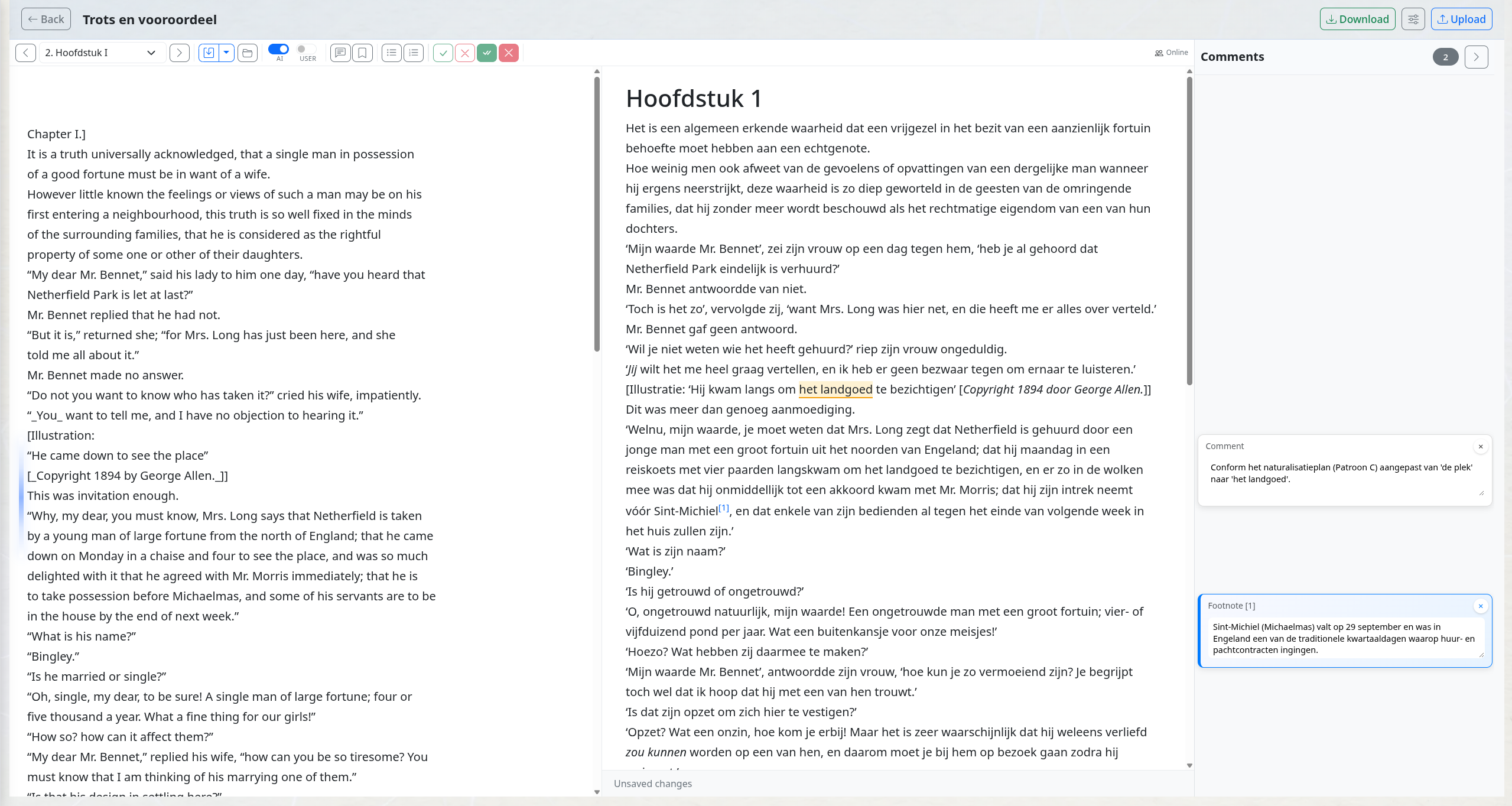
Click a sentence in the target, see the matching source highlighted. Translator comments and footnotes attach to the sentence itself, not to a chat thread.
New accounts currently open by invitation. Join the waiting list; you can view the examples without an account.
Translation walkthroughFurther reading: Translation and Foreign Rights: The Titles You're Not Pursuing · Why Track Changes Is the Most Important Feature in Editorial AI
Pay per project, not per month. One license per translation — credits cover only the AI work you actually run. See pricing
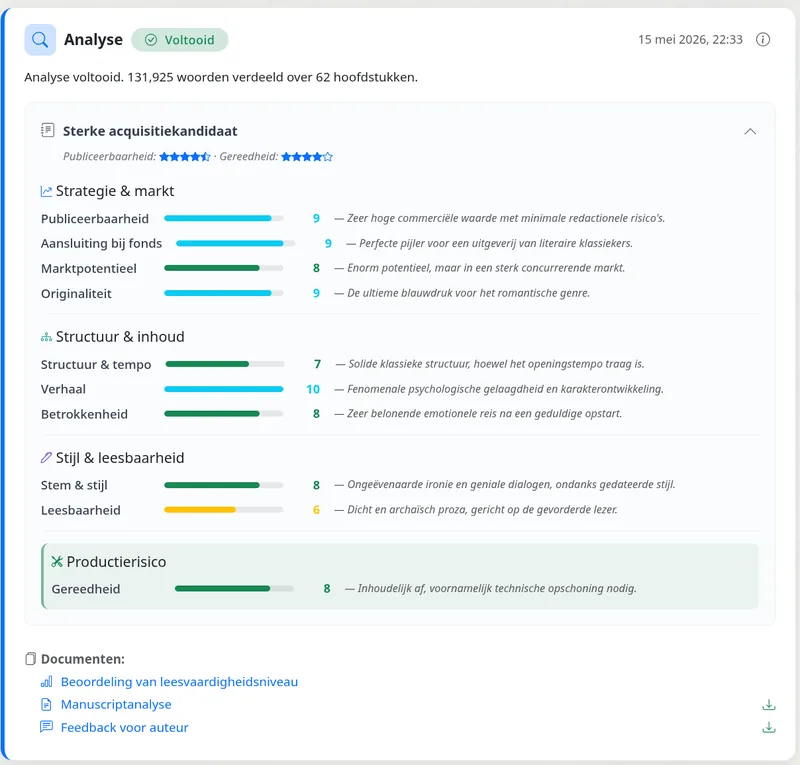
Ten-axis scoring, market fit, and a concrete revision plan.
Track-changes in real Word, with inline explanations.
Side-by-side editor for source text, translation, and notes.
No copying between Word and chat tools. Each step gives you something you can review and keep: a first-read report, editing plan, Word file with tracked changes, or translation draft.
Upload the manuscript. You receive a report showing what works, what needs attention, and how much editing is likely to be needed.
Each suggestion appears as a Word track change, with a comment. Accept what helps, reject what does not fit, or rewrite the sentence yourself.
Review the report and Word file, then accept, reject, or rewrite each suggested change.
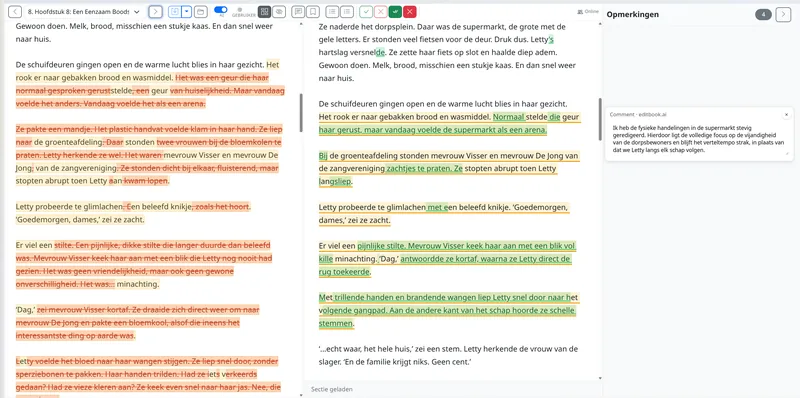
Each suggestion appears in Word as a tracked change, with comments. Authors and editors review concrete edits, not a black-box rewrite.
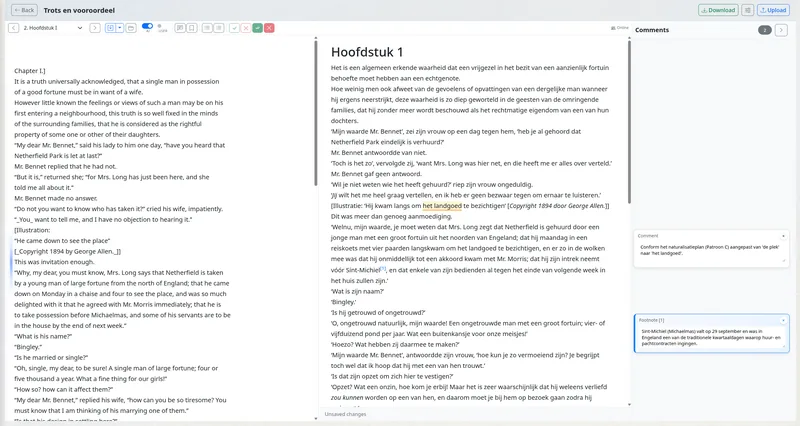
Review source and target text side by side, with terminology and notes linked to the text.
The report explains structure, style, audience fit, and revision priorities, so you know what to discuss with the author or team.
A full literary translation of Jane Austen's novel processed end-to-end in EditBook: source analysis, translation strategy, side-by-side translation, and a publication-ready edited draft — all in one project.
For years, I worked with manuscripts, notes, and editing rounds in Word, helping authors make their text clearer, sharper, and more publishable.
When generative AI emerged, I saw the chance for faster analysis and better first editing rounds. In practice, it often meant copying text into a chat window, pasting it back into Word, fixing formatting, and checking everything again.
Authors lost overview. Editors lost time. I knew there had to be a better way.
That is why EditBook.ai exists: software that fits the way editors and authors already work.
— Froukje
Editor & Founder, EditBook.ai
Edits appear as tracked changes in the .docx file. No copy-paste, no formatting loss — just a Word file authors and editors can review.
Source and target stay locked together with live difference highlights and per-term consistency checks.
Your manuscripts are encrypted in storage in the EEA and during transfer. AI tasks send text to external model providers, without using it for model training. Processing is Global by default and may take place in the US; EU-Only mode keeps AI processing within the EEA. Read about privacy and processing
Set your style guide at the imprint level. Every project picks it up — and you can refine it as you go.
A new version arrives by email, with an explanation of the changes. Forward it from your email app to your workspace’s personal forwarding address. EditBook proposes the matching project, a new manuscript version or a new project.
Review the proposed destination and attachments in the inbox. You can also include an instruction such as “@editbook: run an analysis”; your workspace’s command settings determine whether it can run or needs confirmation.
See how email forwarding works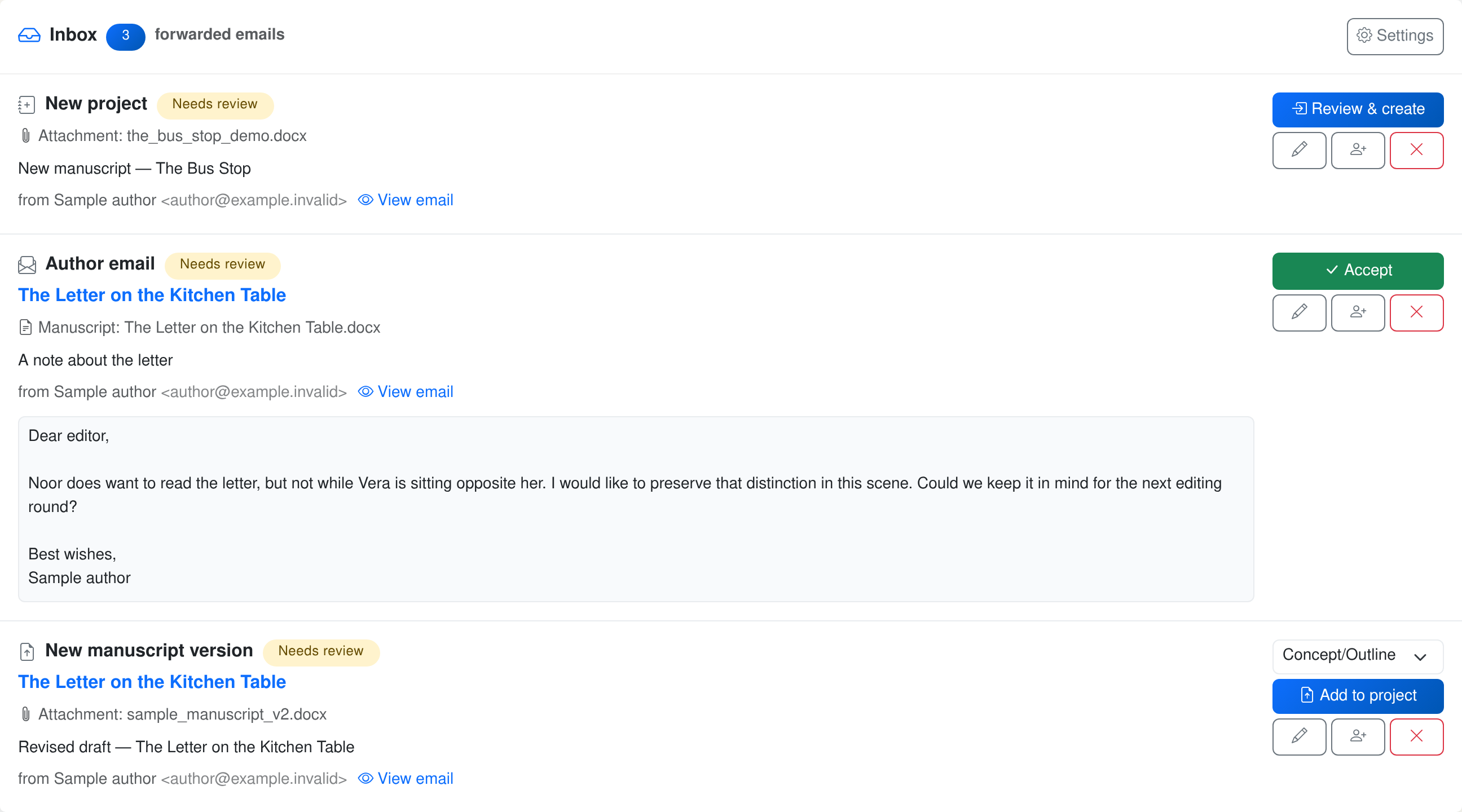
Forward author emails to EditBook and request an assessment. Plus multiple perspectives, market research and small improvements to the editor.

Annotate differences in a translation, rename a character throughout the book or work through a change of setting. The assistant can find the passages and propose edits.

Some editorial questions only make sense at manuscript scale: whether the ending earns its setup, where continuity breaks, which translated sentences still feel foreign, or what changed since the previous draft. The chat finds the relevant material itself before it answers.
Upload a manuscript and receive a structured analysis plus suggested edits in Word. Work with terminology, translation strategy, and notes next to the text.
Please make sure you have read our Terms and Conditions regarding acceptable content and AI-provider restrictions.