If you have used AI for editing or translation, you have probably noticed that the result is often close, but not quite what you meant. Too much is changed, or too little, or the tone is off. And you only find out after the work has been done.
In EditBook every editing or translation round starts with a plan. Until now that plan was only a description, for example “modernise the spelling but keep the narrator’s tone”. Plans now also come with examples from your own manuscript, so you can see the result before the round starts and adjust it where needed.
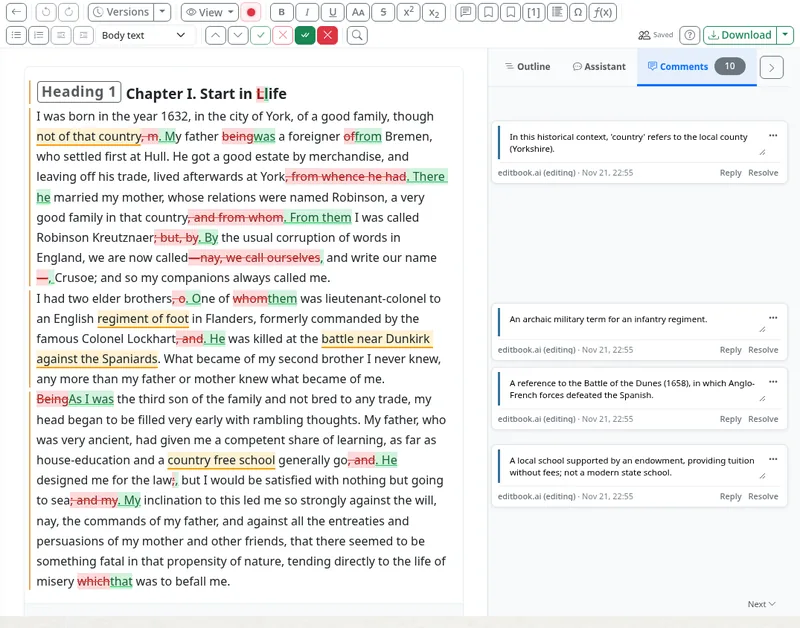
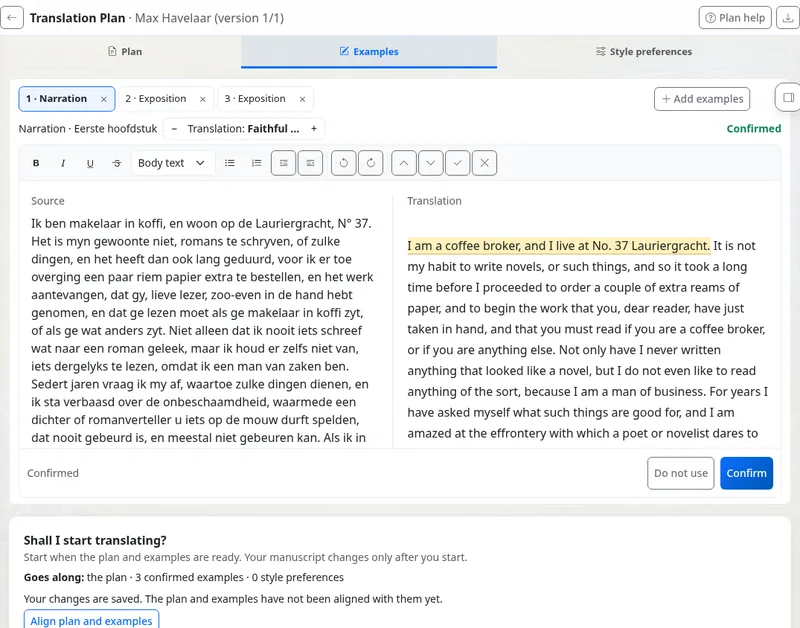
The screenshots below come from an editing plan for Robinson Crusoe (Daniel Defoe, 1719) and from translation plans for Max Havelaar (Multatuli, 1860) and three other public-domain books.
Examples from your manuscript
A description such as “edit lightly” means something different to everyone. An example shows what it means for your book.
When the plan is ready, EditBook picks a few passages of different kinds: dialogue, narration, description and exposition. It edits or translates them the way the plan describes. You find them on the Examples tab of the plan, with the original next to the result.
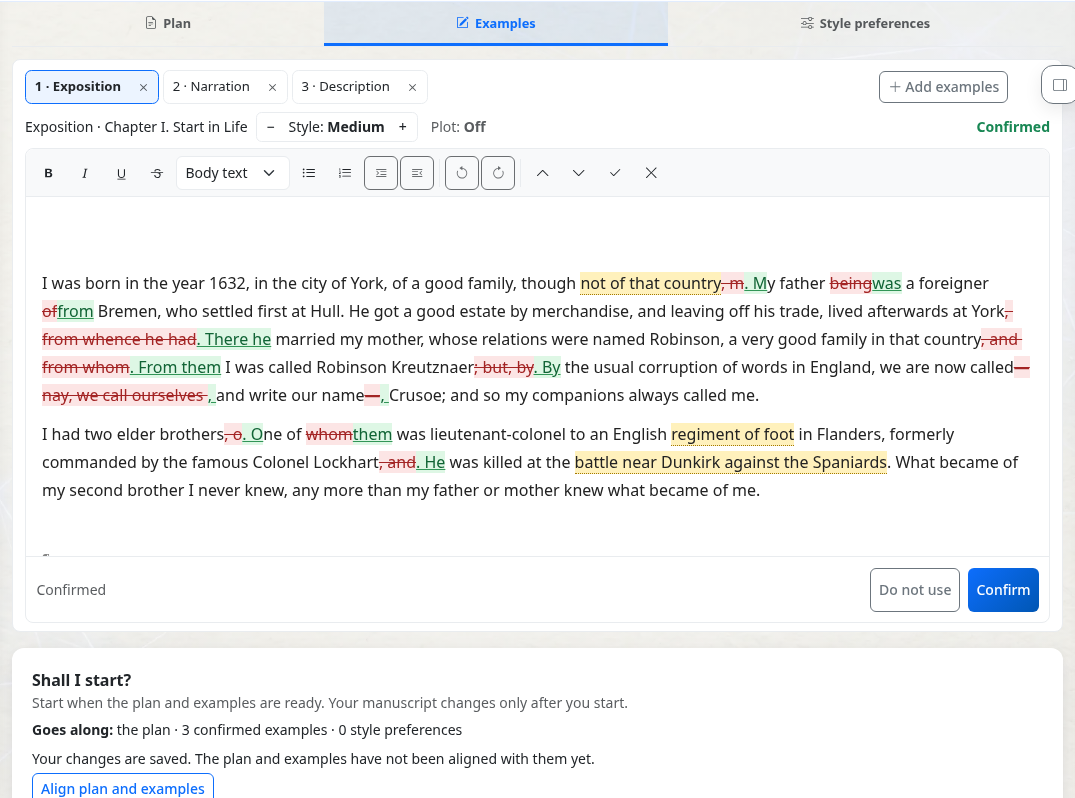
Dialogue often needs a different approach than narration. You may want to modernise the narration but leave the way the characters speak alone. For each kind of text you can therefore use − and + to set how much may change. For editing the levels are None, Weak, Medium and Strong. For translation they are Literal, Faithful to Voice, Balanced & Fluent and Dynamic & Engaging. The example is then redone with the new setting.
If an example is good, click Confirm. If it isn’t, you can edit the result yourself or, for a translation, write your own. Click Do not use to drop an example, or Add examples to get more. You can also select a passage in the editor and choose Make an example of this.
Before you start
If you change the examples, EditBook asks, when you go back to the Plan tab, whether it should update the plan to match them. Nothing happens unless you say yes. The start box below the examples shows what the round will use: the plan, the confirmed examples and your style preferences. Your manuscript does not change until you start the round.
During the round, the AI uses the confirmed examples as part of its instructions, and the check afterwards compares the result with them.
Translation choices
Every translation has decisions that you would rather make before you start than discover afterwards: how to render a word that carries the whole book, what to call a character, how much of the original tone to keep. The translation plan lists these questions for you to decide. Below are four from real translation plans: how to translate “Ungeziefer” in Kafka’s Die Verwandlung, what to call the Dormouse in a Dutch Alice in Wonderland, how much of the irony in the first sentence of Pride and Prejudice remains in German, and whether the ages and sums of money in Max Havelaar are written in words or in numerals.
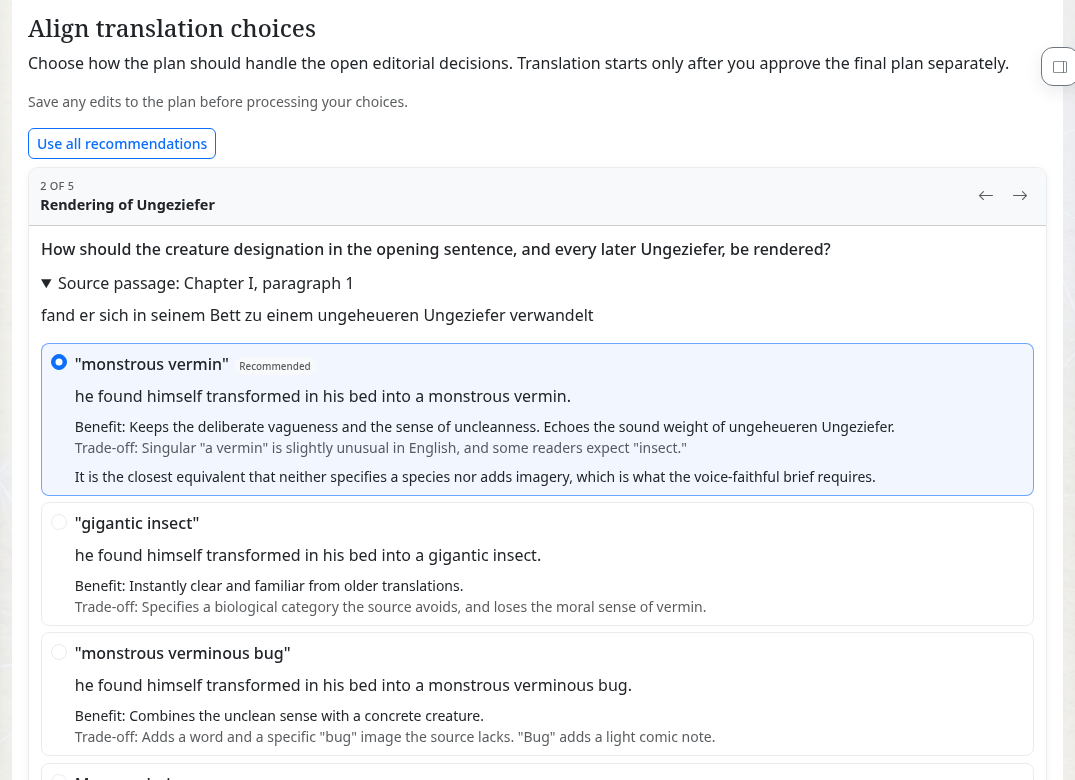
German into English: how to translate “Ungeziefer”
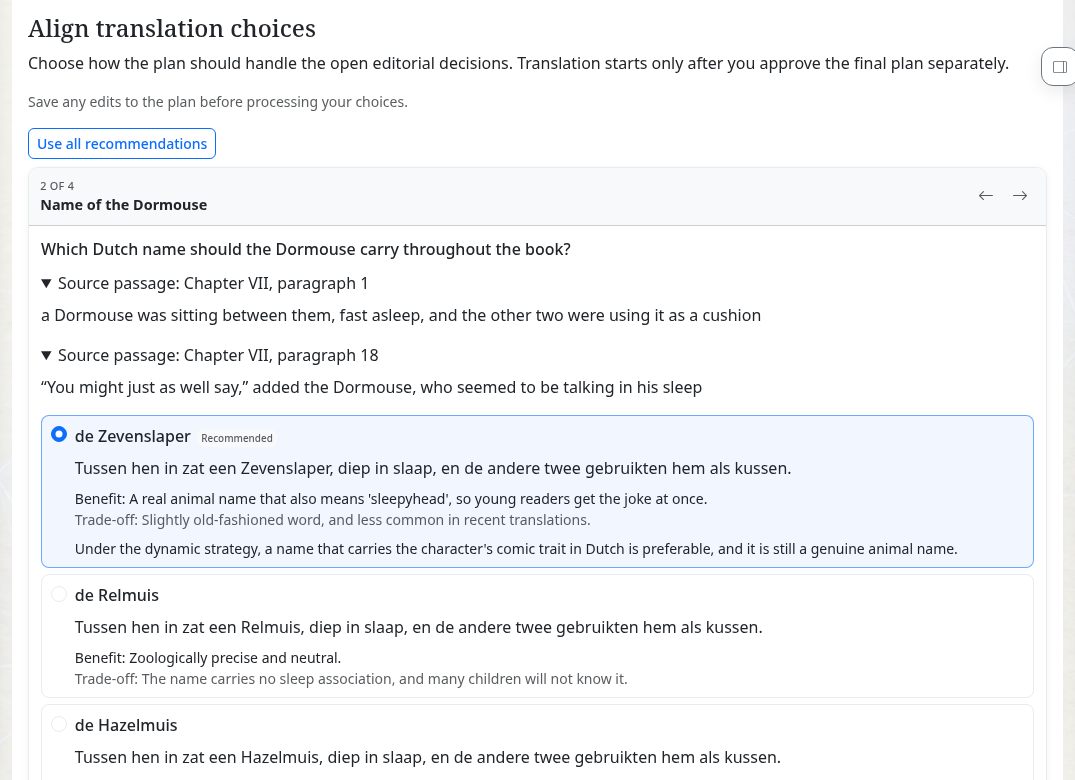
English into Dutch: a Dutch name for the Dormouse
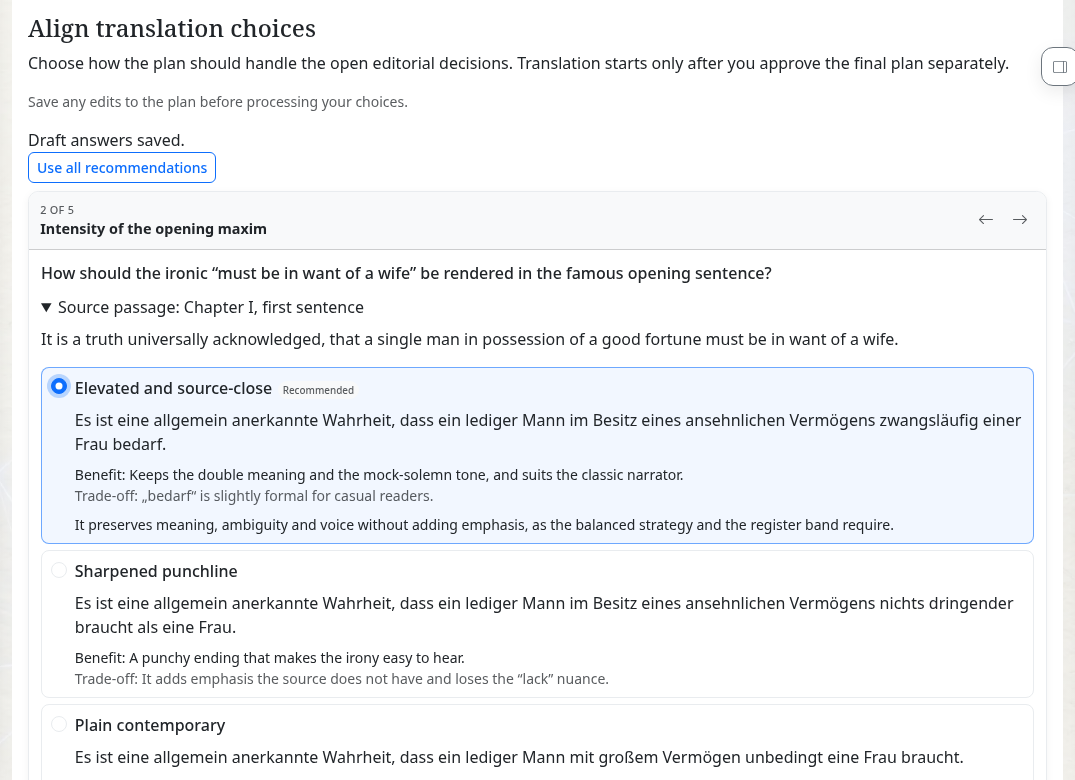
English into German: how much of the irony in the first sentence remains
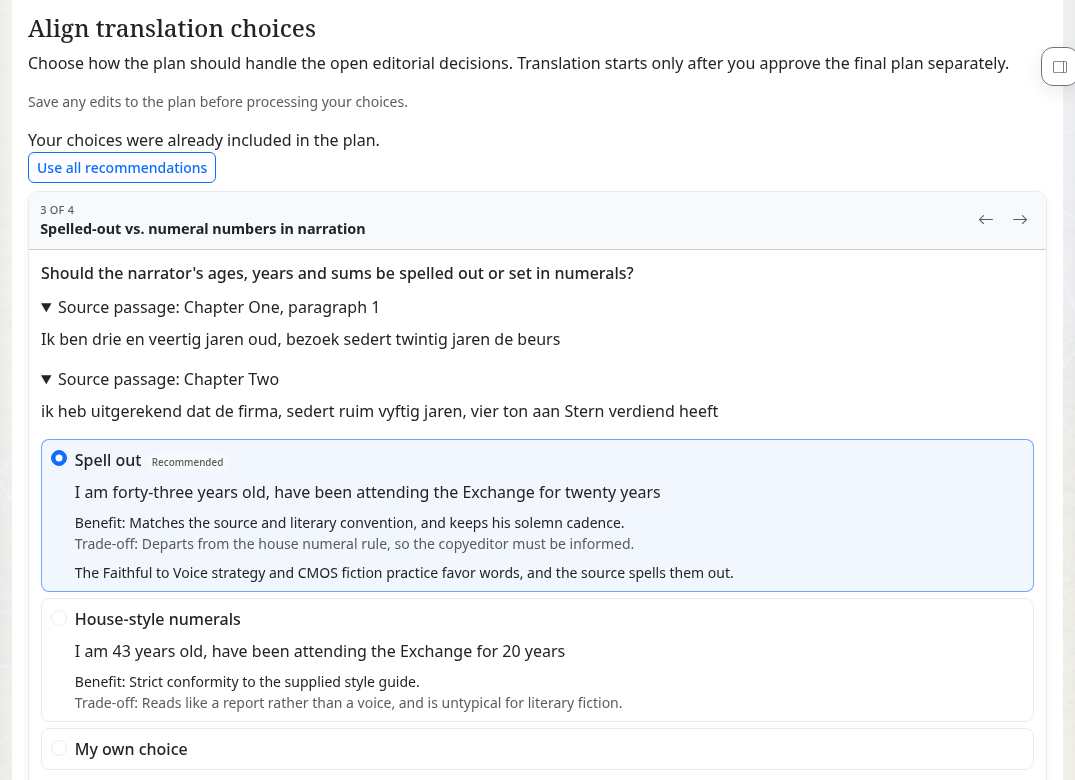
Dutch into English: ages and sums of money in words or in numerals
Each question comes with the passages it concerns and two or three options, each with its advantage and drawback, and one of them marked as recommended. You can choose per question, describe a choice of your own, or accept all recommendations at once.
Learning from your changes
Many editors find that AI does not do exactly what they want, and that they keep making the same corrections chapter after chapter. In EditBook the AI learns from the changes you make, so it fits your preferences better as you go.
After the first chapters you will have accepted some suggestions and changed others. When you continue with the next chapters, EditBook looks at what you changed and suggests what to remember from it: a new example (Example from your changes) or a style preference such as “keep the narrator’s long sentences”. You decide whether a preference applies only to this book or also to your other books (Also for my other books). Your preferences are on the Style preferences tab and are used in the next round.
Translator’s notes
When a translation makes a less obvious choice, you want to know why, especially if someone else has to approve the translation. Translations now include comments that explain such choices, as a human translator would.
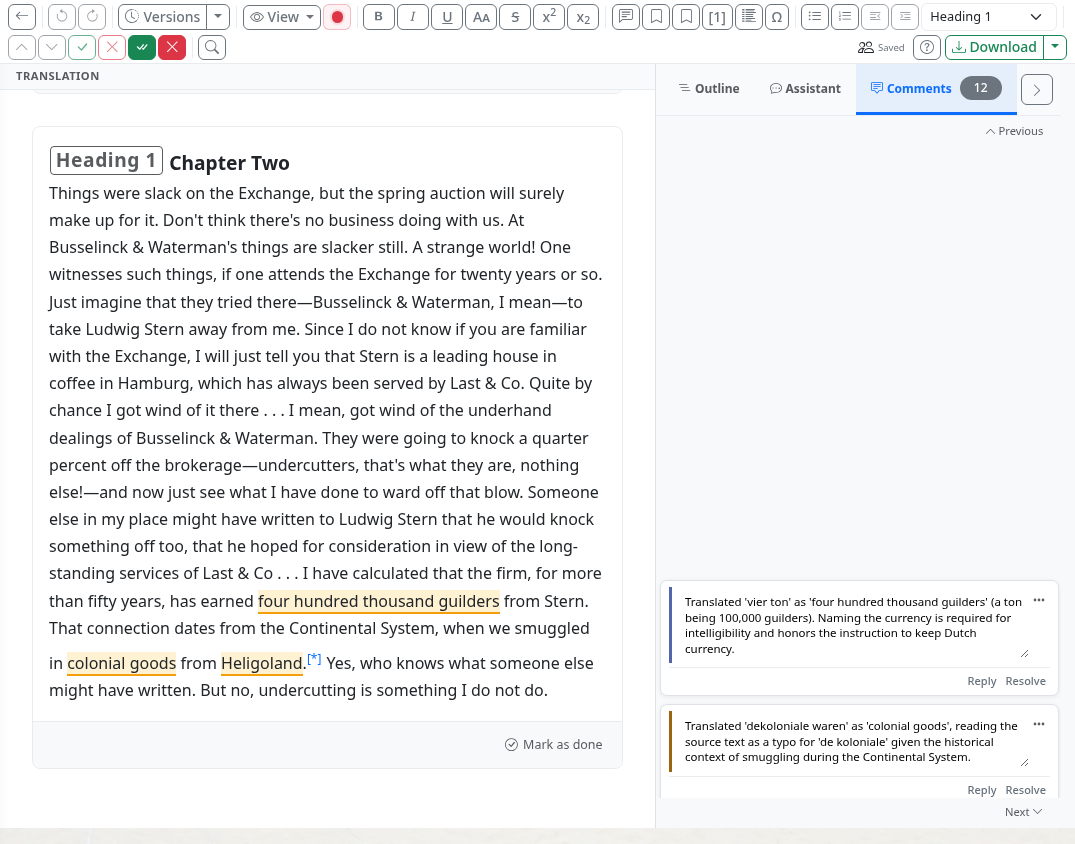
In the screenshot, one note explains why “vier ton” became “four hundred thousand guilders”, and another why a word that looks like a typo in the original was translated as the author probably meant it. Notes are only added where they help, and they are included in the Word download.
How you review the changes of a round is described in our post about the new editor.